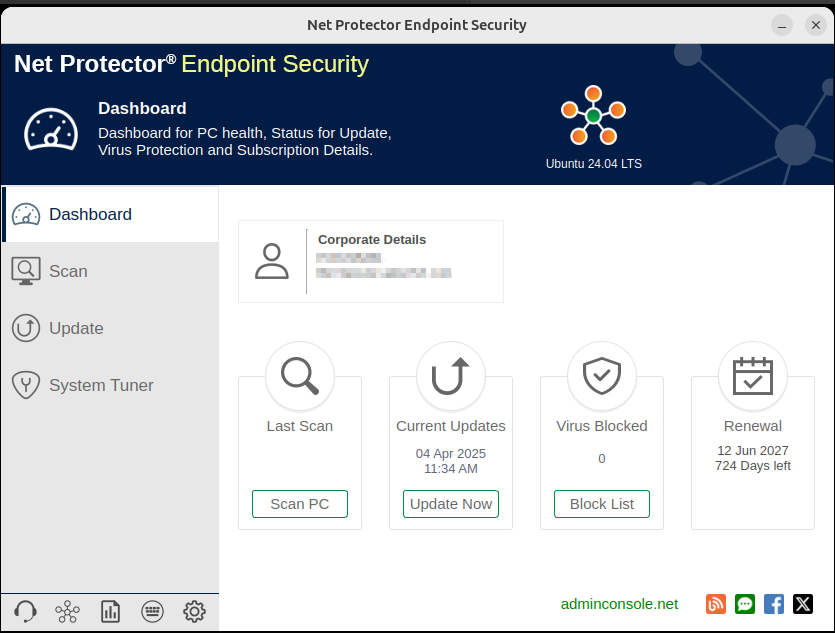
The installation of Net Protector Endpoint Security on Linux is slightly different than Windows.
Please follow the below steps for the installation of NPAV EPS Linux version
Step 1: Download the Setup file from www.adminconsole.net, Alternatively, if you are using EPS Intranet, the file will be available in the “Client Installer” tab.
Step 2: Copy the downloaded NPEPS_LINUX_Installer.zip file into a dedicated folder.
Step 3: Navigate to this folder and extract the contents of NPEPS_LINUX_Installer.zip.
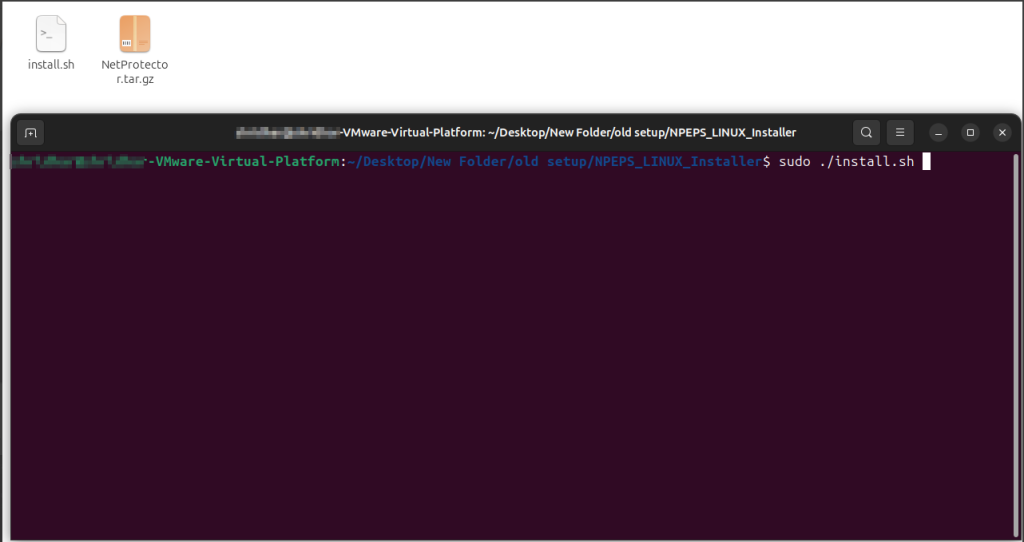
Step 4: Open the terminal in the same folder and add the below command
Command: sudo ./install.sh
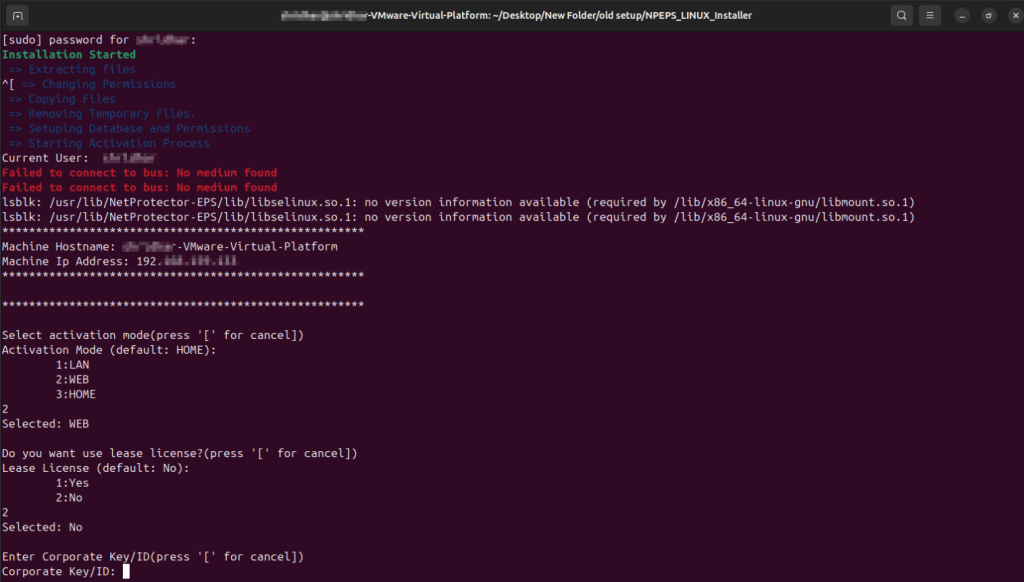
When prompted, enter your login password and press Enter to begin the installation process.
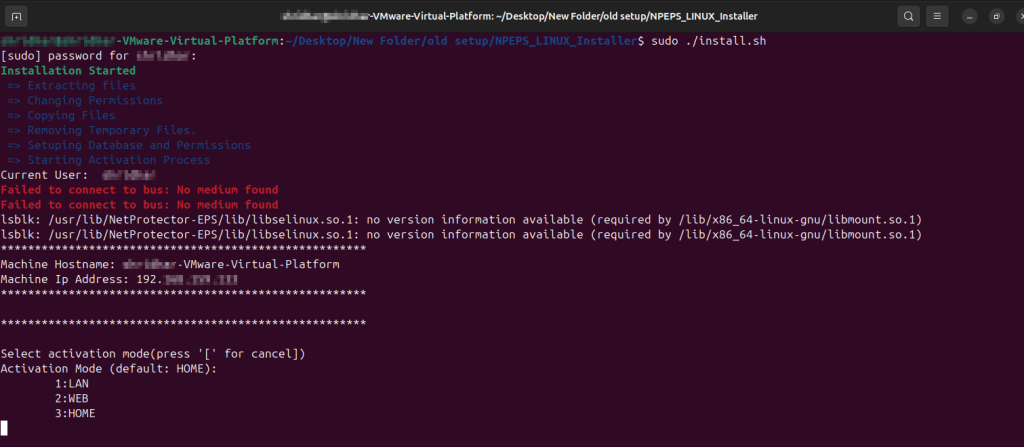
Step 5: Select Server Communication Method: Enter 2 for WEB.
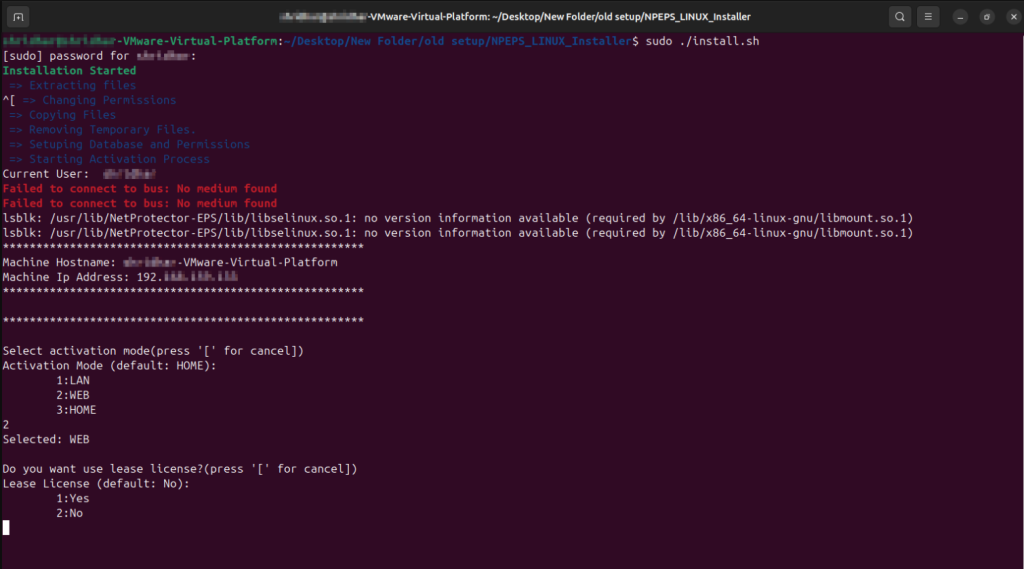
Step 6: Lease License Request (Optional): To request a Lease License, enter 1; otherwise, enter 2.
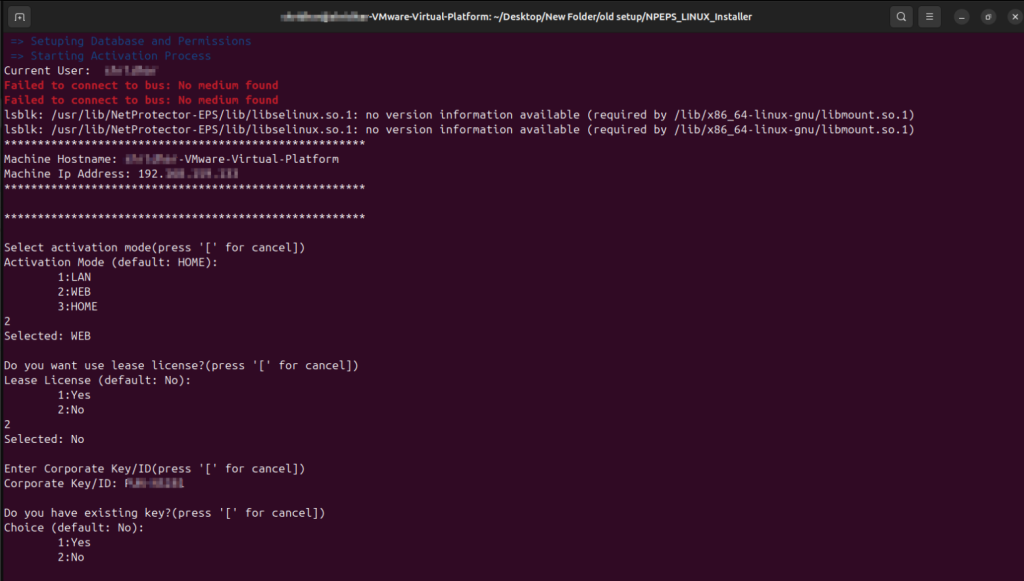
Step 7: Enter Corporate Key/ID and then press Enter.
Step 8: License Key: If you have an existing key, enter 1; otherwise, enter 2.
Step 9: Installation Complete: A Dashboard window will appear once the installation is finished.