
– Google Login control is used to allow and block the gsuite mail domain.
– GLogin works on Domain and Particular Email Addresses, if admin wants to only allow particular domain like npav.net then only that domain will be allowed rest all domains should blocked through Glogin functionality.
– As well as Admin can allow only specific email address also using GLogin control.
– If the admin wants to reports for all allow and blocked Email addresses then report functionality is also available
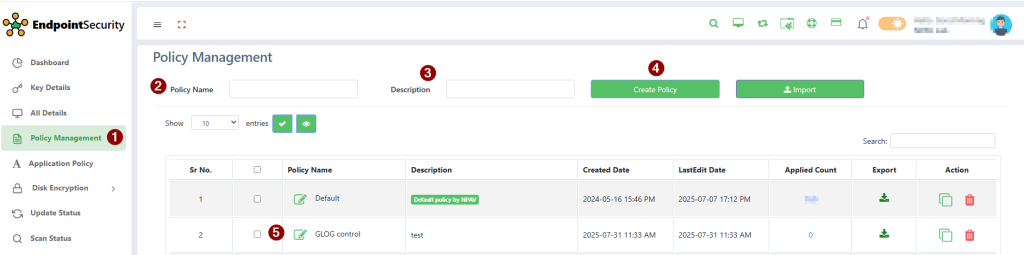
Step-1: Go to Policy Management tab and create policy.
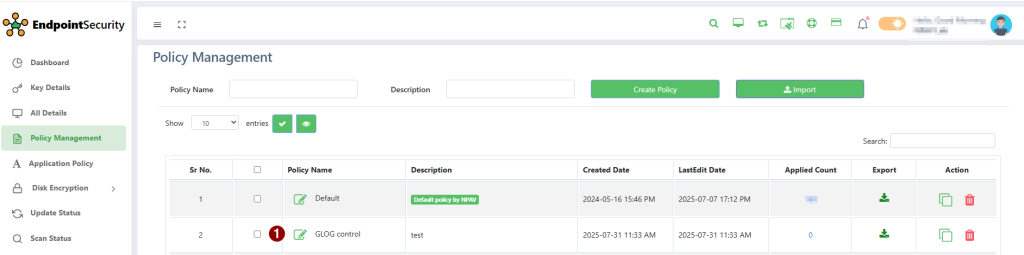
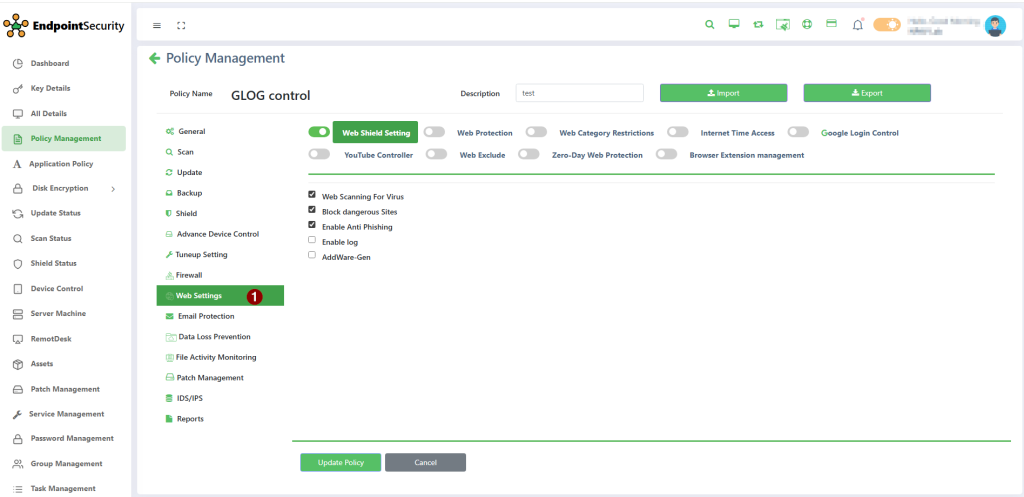
Step-2: Edit policy and go to Web setting.
Step-3: Enable Google Login Control setting and Report.
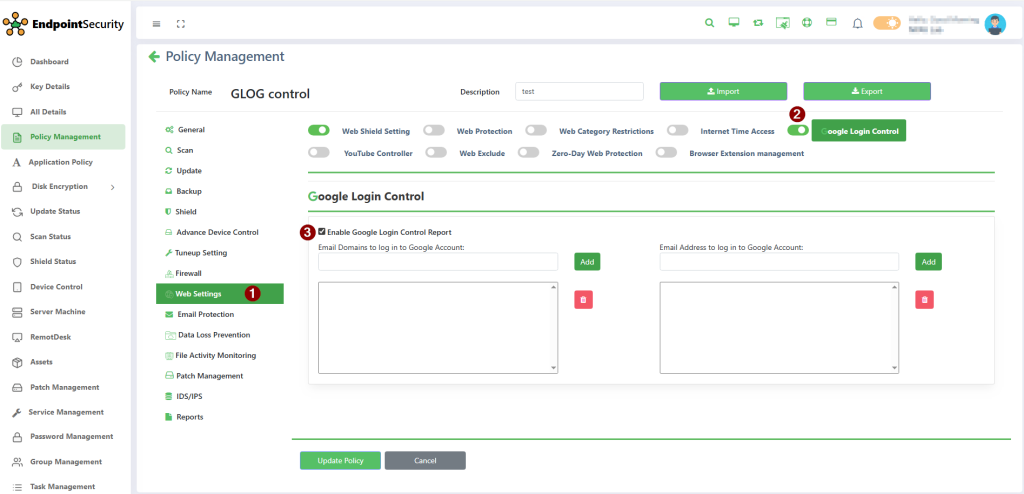
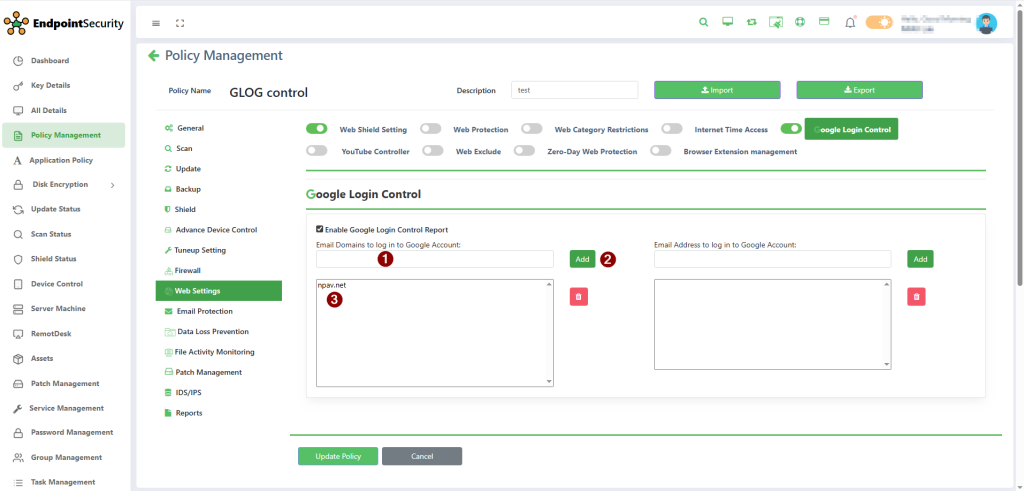
Step-4: Enter Email domains want to log in to Google account.
E.g. – npav.net
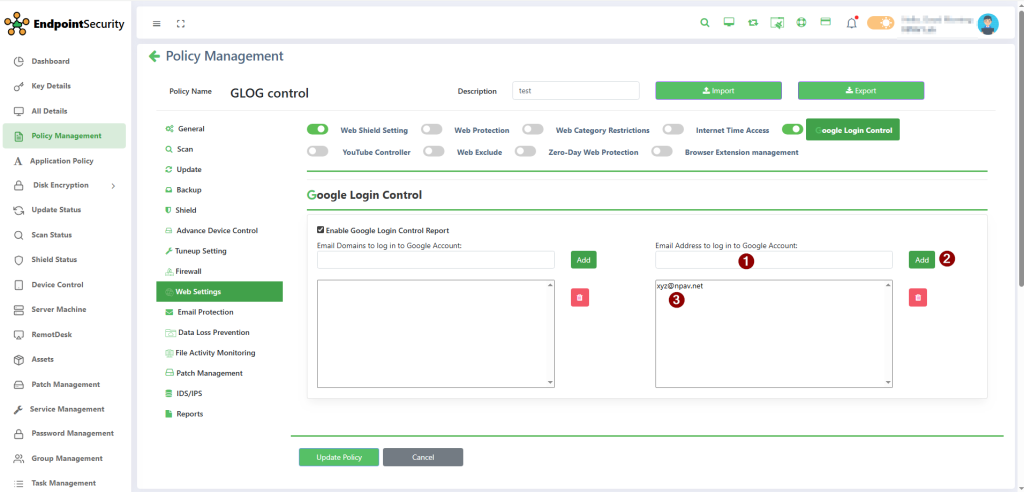
Step-5: Enter Email Address want to log in to Google account.
E.g. – XYZ@npav.net
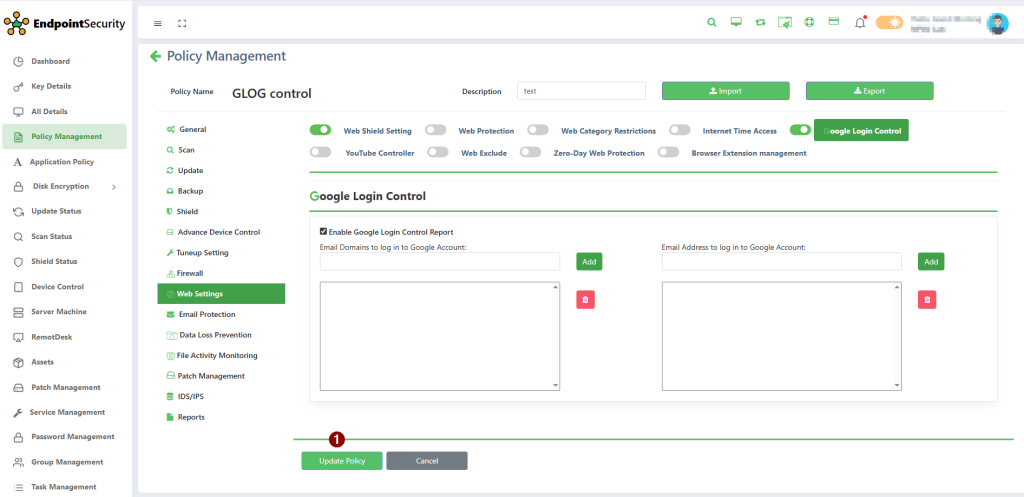
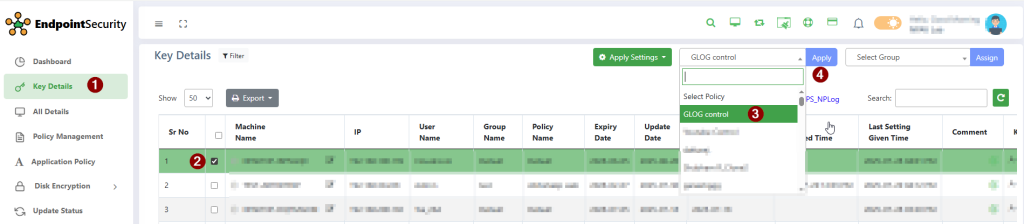
Step-6: Apply policy & Assign policy to specific machine.
We hope this article will help you to Use Google Login Control through EPS WEB console
Thank You,
