How to Claim Reward Amount (AMJ Quarter) Through Dealer Portal App
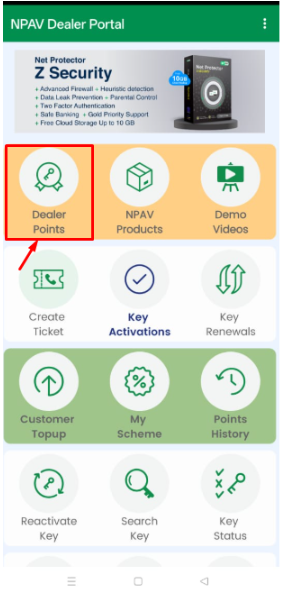
- Open the Dealer Portal App and tap Dealer Points.
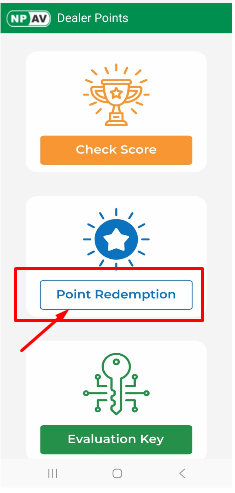
- Tap Point Redemption.
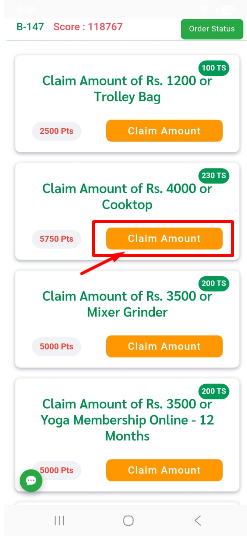
- Select the eligible reward and tap Claim Amount.
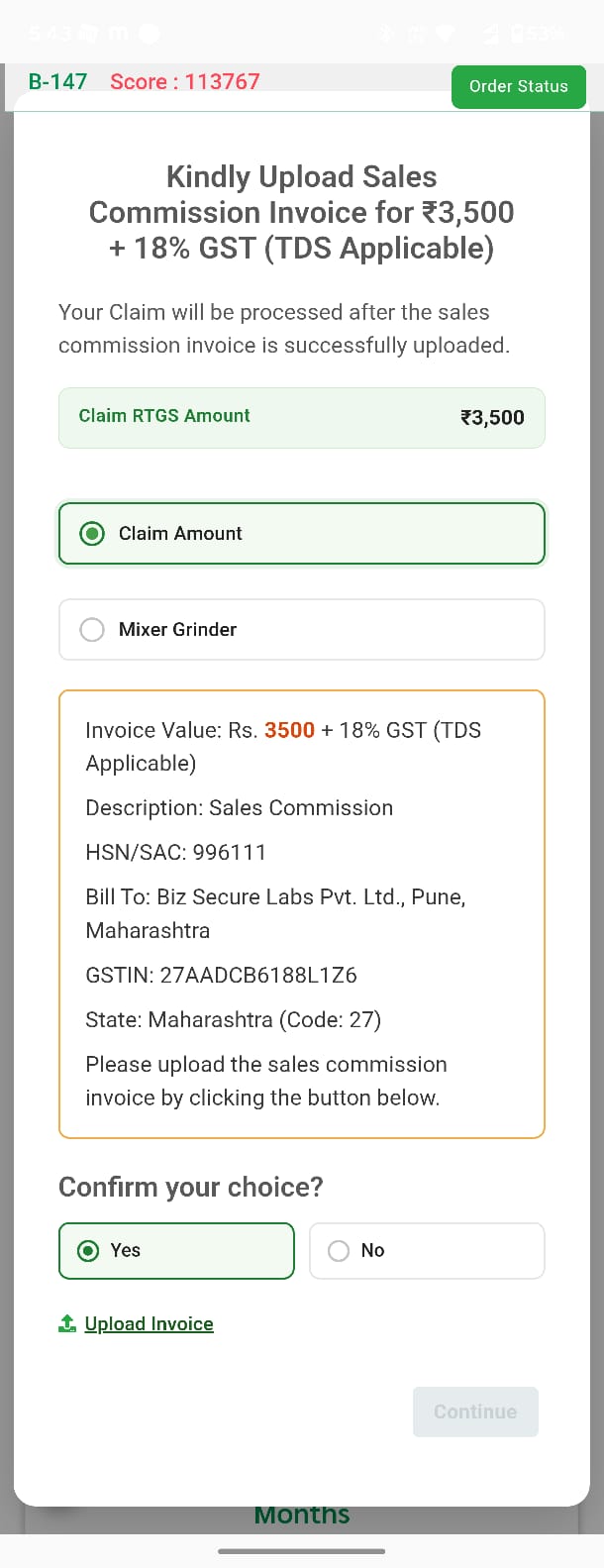
- Create and upload your Sales Commission Invoice, then tap Continue.
- Invoice Value: Claim Amount + 18% GST (TDS Applicable)
- Description: Sales Commission A/C (against AMJ-26 quarterly activation scheme)
- HSN/SAC: 996111
- Bill To: Biz Secure Labs Pvt. Ltd., Pune, Maharashtra
- GSTIN: 27AADCB6188L1Z6
- State: Maharashtra (Code: 27)
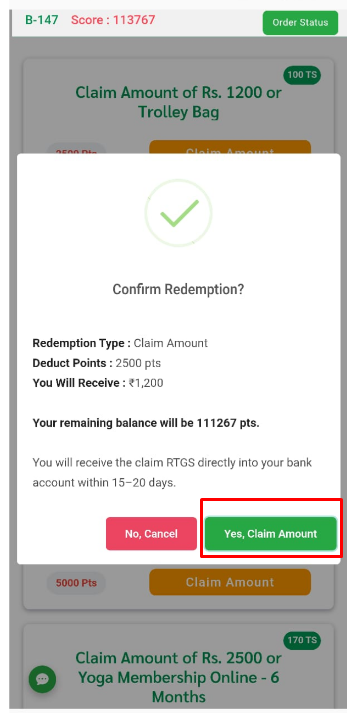
- Review the claim details and tap Yes, Claim RTGS to confirm your claim.
- Enter your bank account details correctly to receive the RTGS reward amount.
> TDS Applicable on Claim
Note: If you do not have a GST number, you may upload the invoice without GST.
Step 1: Open the Dealer Portal App and click on the Dealer Points
Step 2: Click on Point Redemption
Step 3 : Click on the Claim Amount Button
Step 4: Upload Sales Commission Invoice
Kindly create and upload your Sales Commission Invoice, then click Continue to complete your claim.
Invoice Details:
- Invoice Value: Claim Amount + 18% IGST
- Description: Sales Commission A/C (against AMJ-26 quarterly activation scheme)
- HSN/SAC: 996111
Bill To:
- Biz Secure Labs Pvt. Ltd.
- Pune, Maharashtra
- GSTIN: 27AADCB6188L1Z6
- State: Maharashtra (Code: 27)
Click the Upload Invoice button below to upload your Sales Commission Invoice and proceed with your claim.
Step 5: Confirm Your Claim A screen will show your claim: the redemption type, points used, amount you will get, and your remaining points balance. Check the details, then tap Yes, Claim Amount.
Step 6: Enter your bank details to receive the RTGS redemption amount in your bank account.
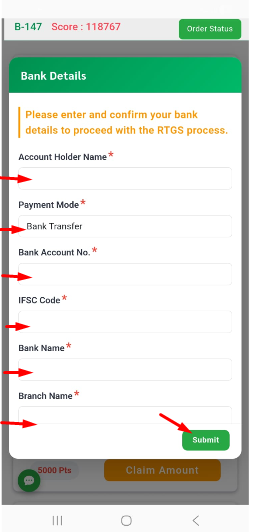
Step 7: After entering all the bank details, tap the Submit button.
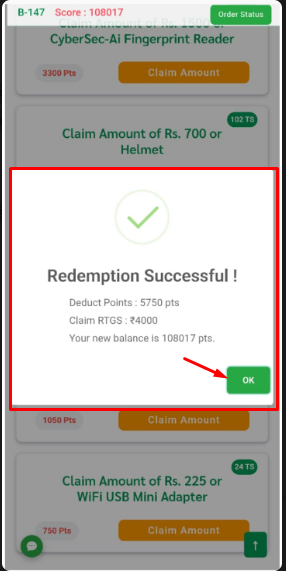
A “Redemption Successful!” confirmation pop-up will appear, displaying the following information: Deduct Points: 5,750 pts Claim RTGS Amount: ₹4,000 Updated Points Balance: 108,017 pts
Tap OK to close the confirmation message and complete the redemption process.
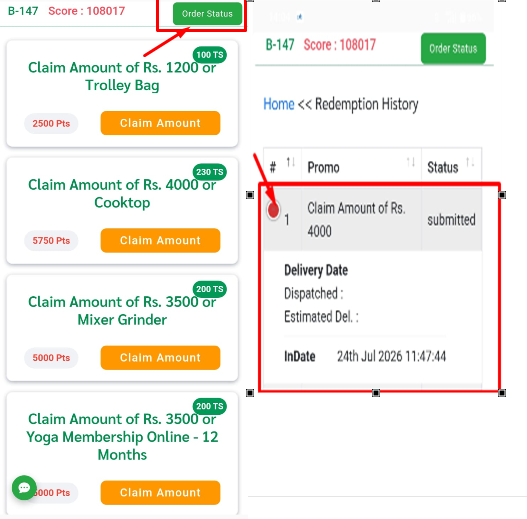
Step 8 : Click on Order Status option to view indate of status delivered