Steps: 1
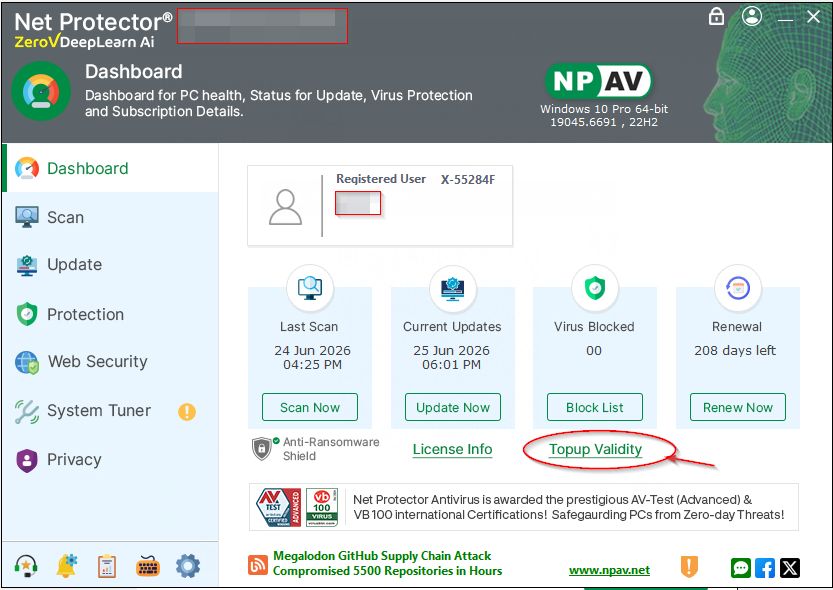
Open the Zerovscn Dashboard and click on the “Topup Validty” button
Steps 2:
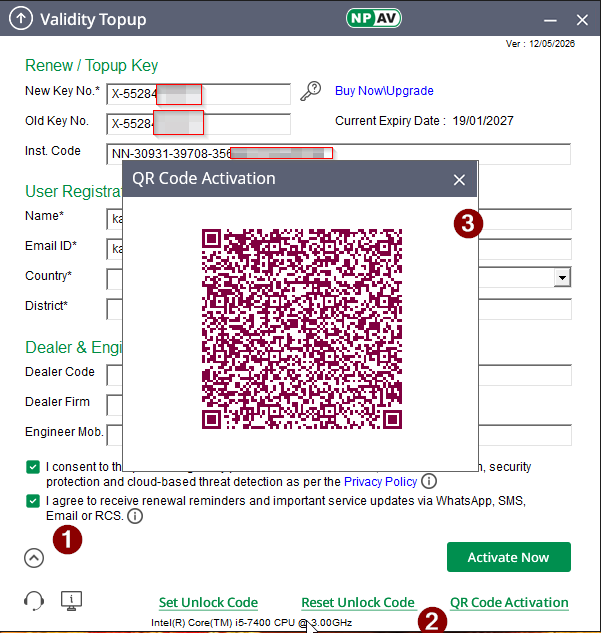
Launching the Topup dailog and then click on down arrow
Then click on “QR Code Activation” button
Steps 3:
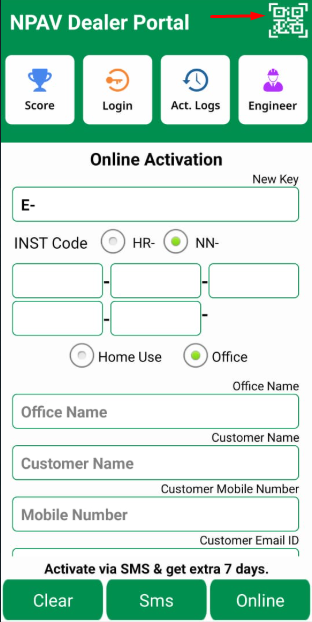
Open Dealer Portal App and click on QR Code (Top on right side)
Steps: 4
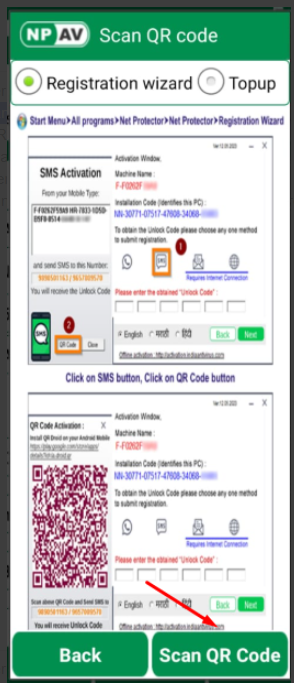
Open the Scan QR Code page on that showing two options through “Registration Wizard or Topup”
and then click on Scan QR Code button (Bottom at right hand side)
Steps: 5
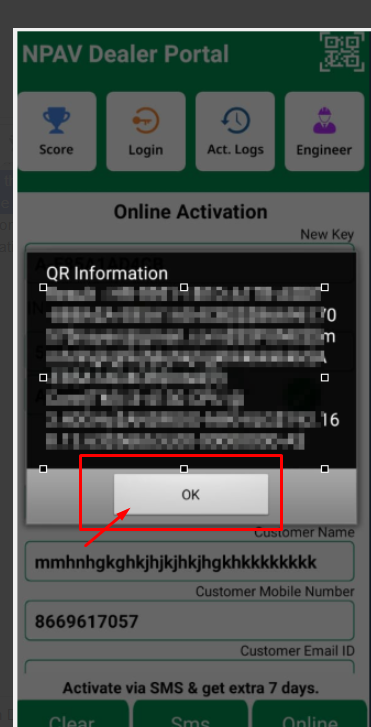
After clicking on that you will get popup message just click on “Ok” button.
Steps: 6
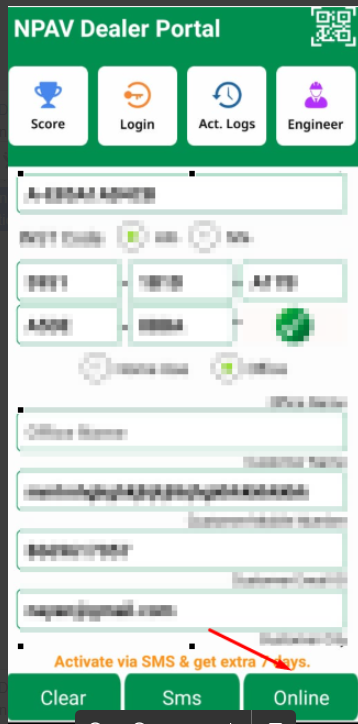
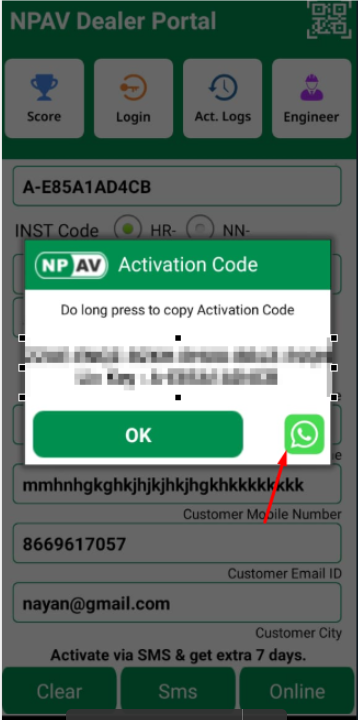
After that viewing info about the key holder details name and all the details and then click on “Online button”
Steps: 7
Activation Unlock code should be display and share through WhatsApp.
Steps: 8
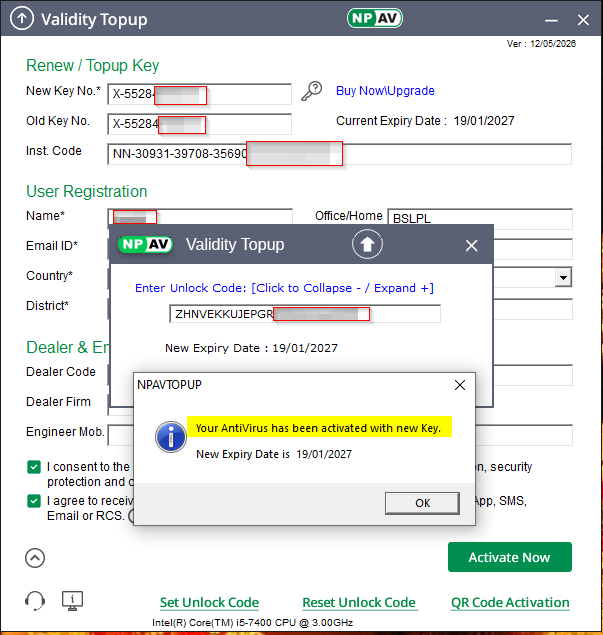
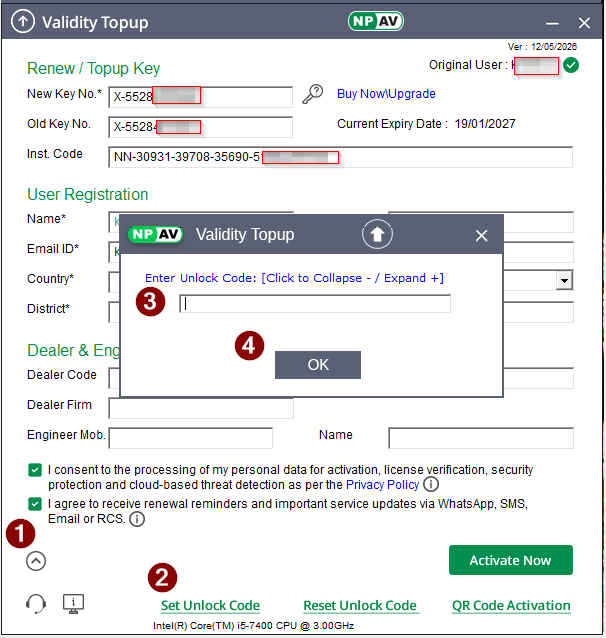
Again go the Topup dailog and click on down arrow.
And then click on the “Set Unlock code” button and enter here “unlock code” from the Dealer portal App
Steps: 9
After entering the “Unlock code” click on “Ok” Button.
“Activation successfull” message should be aper