
To configure the Advanced Device Control policy, follow these steps:
1.Access the EPS Web Console.
2.Navigate to the policy management section.
3.Go to Advance device control tab
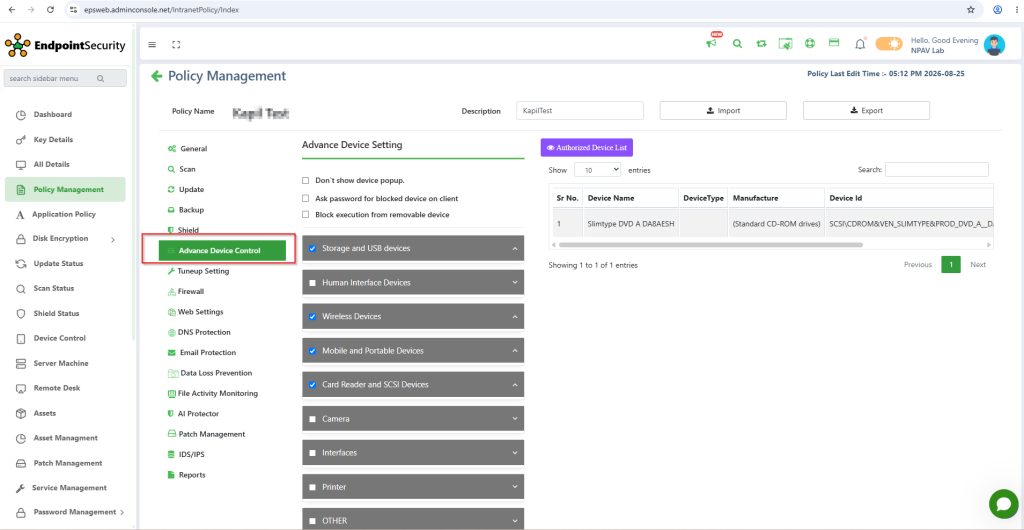
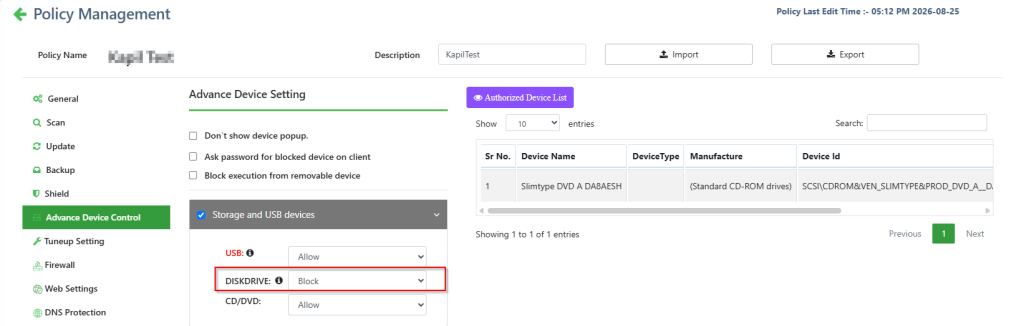
3. Under Storage and USB Devices, select DISKDRIVE and configure it to Block.
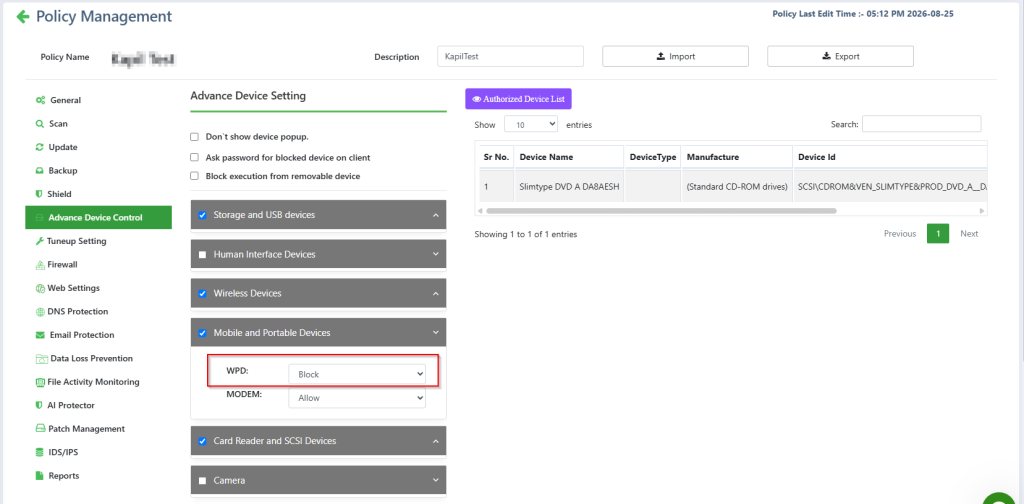
4.Under Mobile and Portable Devices, select WPD and configure it to Block.
5.Under Card Reader and SCSI Devices, select SCSI and configure it to Block.
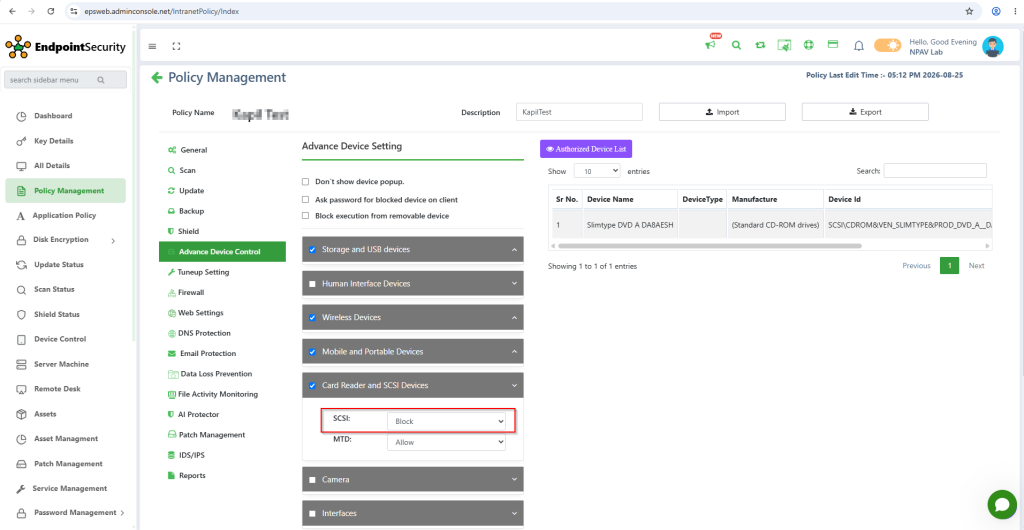
- Save and apply the policy to the client machine.
- Plug in the pen drive to the client machine and verify that access is blocked.
