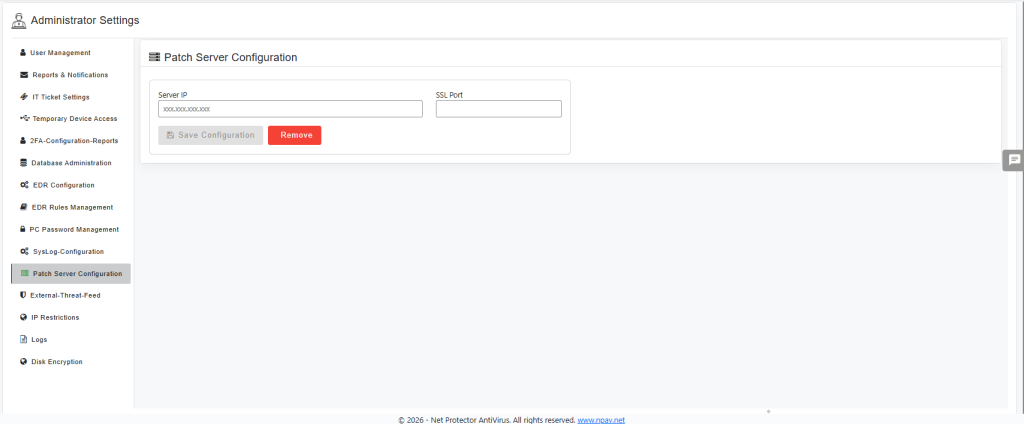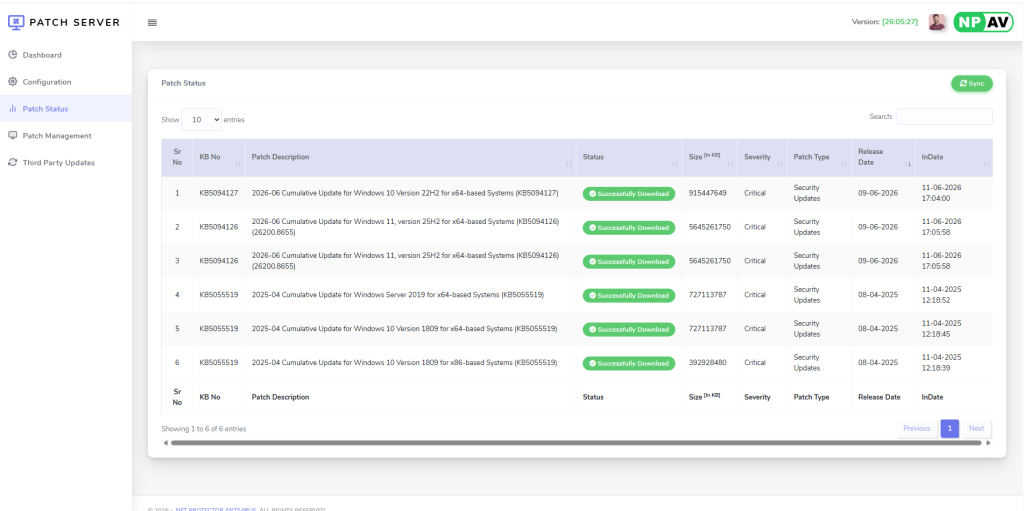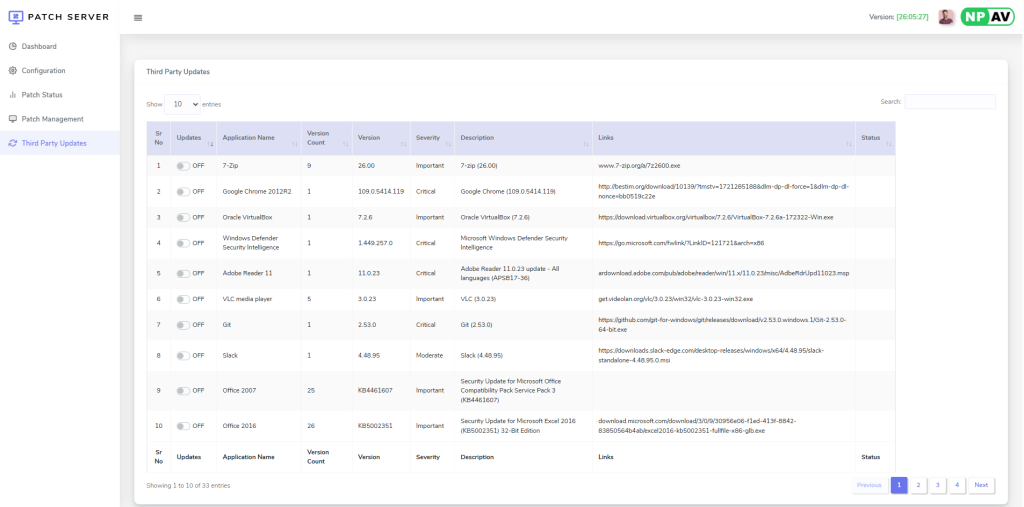
The Patch Manager feature allows administrators to effectively manage the patch schedule for NPAV endpoints. This includes defining the frequency, time, and specific days for applying updates, ensuring the timely and consistent application of security patches and system improvements.
Additionally, Patch Manager includes a centralized on-premises server that automatically downloads patches and updates and redistributes them to endpoints. This ensures efficient delivery of updates over the LAN network, reducing internet bandwidth usage and improving update performance across all endpoint devices.
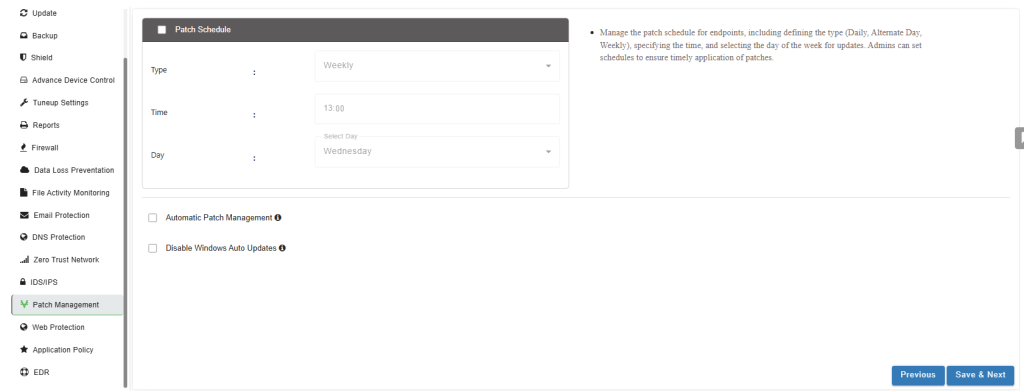
Configuring Patch Schedule :
To configure the patch schedule for your endpoints, follow these steps:
Select Check box: Patch Schedule :
Enable this option to activate scheduled patch management.
Select Type :
Choose the desired patching frequency from the available options:
- Daily: Patches are applied every day.
- Alternate Day: Patches are applied every other day.
- Weekly: Patches are applied once a week.
Select Time :
Specify the exact time when the patch updates should be performed on the selected schedule.
Select Day :
If Weekly is chosen as the Type, select the specific day of the week for the patch application.
Automatic Patch Management :
Select Check box for Automatic Patch Management
Enable this option to allow the system to automatically manage and apply patches according to the defined schedule without manual intervention for each update.
Patch Server
It enables organizations to centrally manage security patches and software updates using an on-premises Patch Server.
The Patch Server automatically downloads patches from the internet and stores them locally. Endpoint devices retrieve the required patches from the Patch Server over the LAN, reducing internet bandwidth usage, improving update distribution efficiency, and ensuring consistent patch deployment across the network.
The feature also supports offline environments by allowing endpoints to receive updates from the local Patch Server without requiring direct internet access.