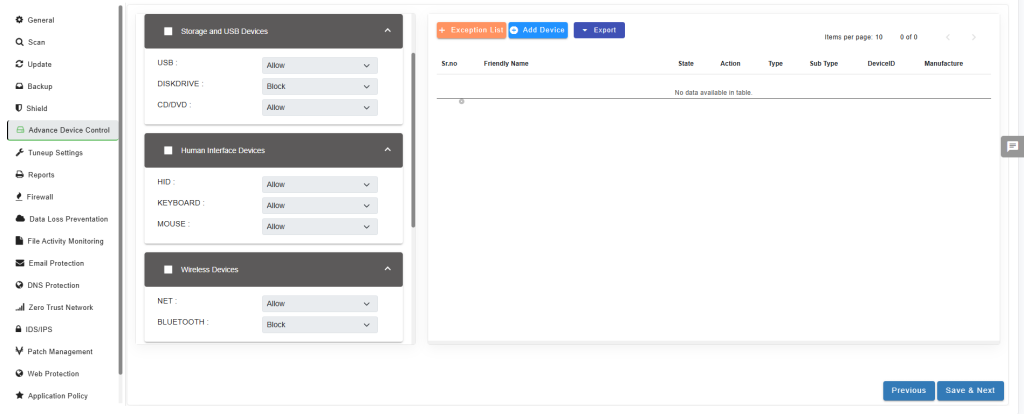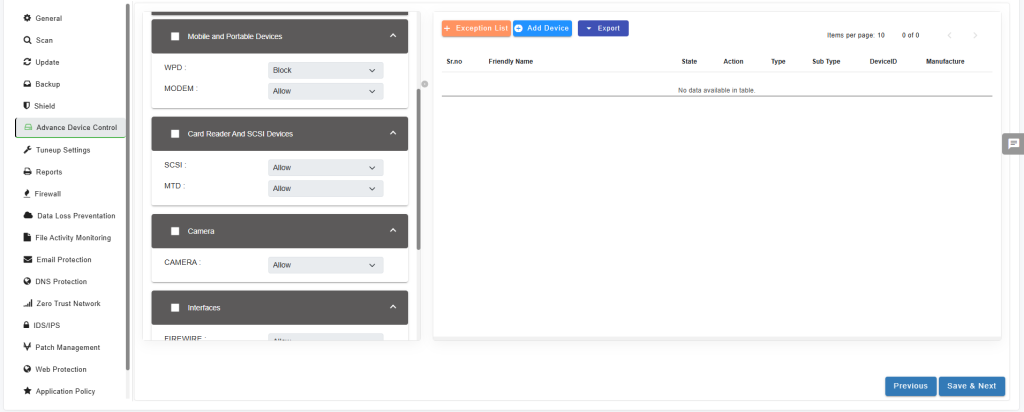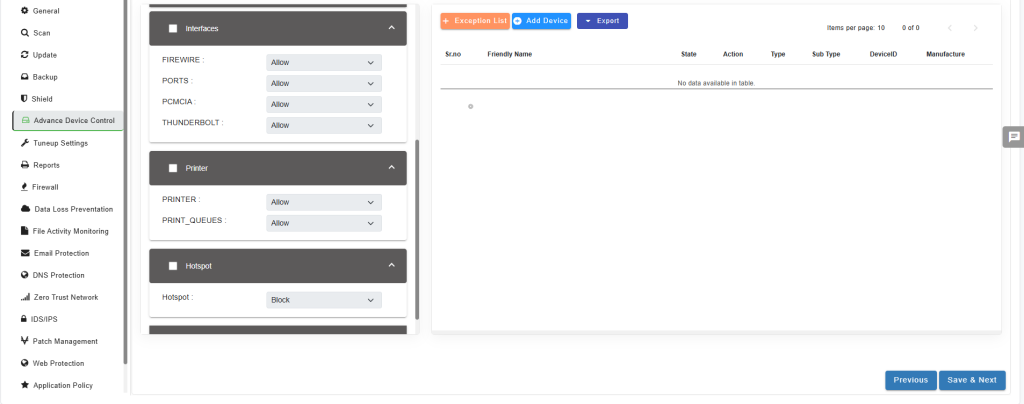
NPAV EDR provides Advanced Device Control, a security feature that allows organizations to restrict and monitor user access to various devices, including USB drives, external hard drives, CD/DVD drives, printers, Bluetooth devices, Mobile devices, External modems, Cameras, Scanners and MTPs.
Advanced Device Control
To configure policy for Advanced Device Control, follow below steps:
1.Access the EDR Console.
2.Navigate to the policy management section.
3.Select the option to modify the policy and proceed to the Advanced Device Control settings.
4.Storage and USB Devices
- USB: Allow or block external storage devices like OTG cables.
- DISKDRIVE: Allow or block external storage devices like hard drives.
- CD/DVD: Allow or block external storage devices like CDs or DVDs.
5.Human Interface Devices
- HID: Allow or block human interface devices such as Game Controllers,Trackpads
6.Wireless Devices
- NET: Allow or block wireless devices like Wi-Fi and USB Tethering.
- BLUETOOTH: Allow or block Bluetooth devices.
7.Mobile and Portable Devices
- WPD: Allow or block portable devices like wireless portable devices.
- MODEM: Allow or block portable devices like modems.
8.Card Reader and SCSI Devices
- SCSI: Allow or block external devices like card readers or Small Computer System Interface (SCSI) devices.
- MTD/MTP: Allow or block external devices like memory technology devices
9.Camera
- CAMERA: Allow or block camera.
10.Interfaces
- FIREWIRE: Allow or block hardware interface devices like FireWire.
- PORTS: Allow or block hardware interface devices like various ports.
- PCMCIA: Allow or block hardware interface devices like Personal Computer Memory Card International Association (PCMCIA) devices.
- THUNDERBOLT: Allow or block hardware interface devices like Thunderbolt.
11.PRINTER
- Allow or block Printers & Scanners.
12. Hotspot
- Allow or block the Hotspot.
12. Other
- Allow or block the Media & Unknown.
Save Policy
After selecting your required setting, just save and apply the policy. Endpoints will start blocking or allowing the devices according to settings given in the policy.