
LAN Protection feature safeguards your local network from threats like malware, adware, and malicious traffic, helping to optimize system performance and bandwidth usage.
🛡️ Key Features of LAN Protection
- It actively monitors and blocks malicious data packets and unauthorized access attempts within your LAN, reducing the risk of internal spread of malware or ransomware.
- To defend against RDP (Remote Desktop Protocol) attacks, strong authentication, restrict access, and continuously monitor for suspicious activity.
- Sharing Protection features is designed to prevent Prohibited data transfers, block malicious file sharing, and secure endpoints against internal threats.
Steps to Enable LAN Protection.
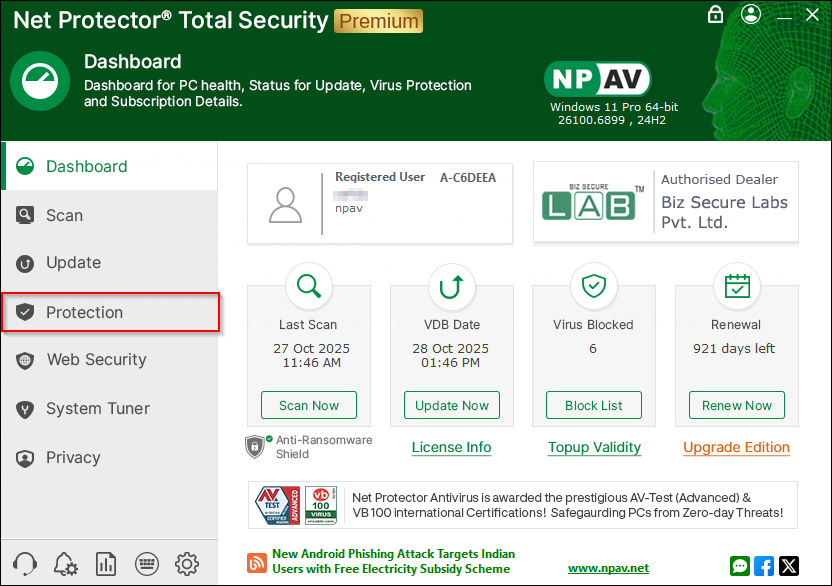
Step 1 : Open NPAV Dashboard and Navigate to “Protection Tab“.
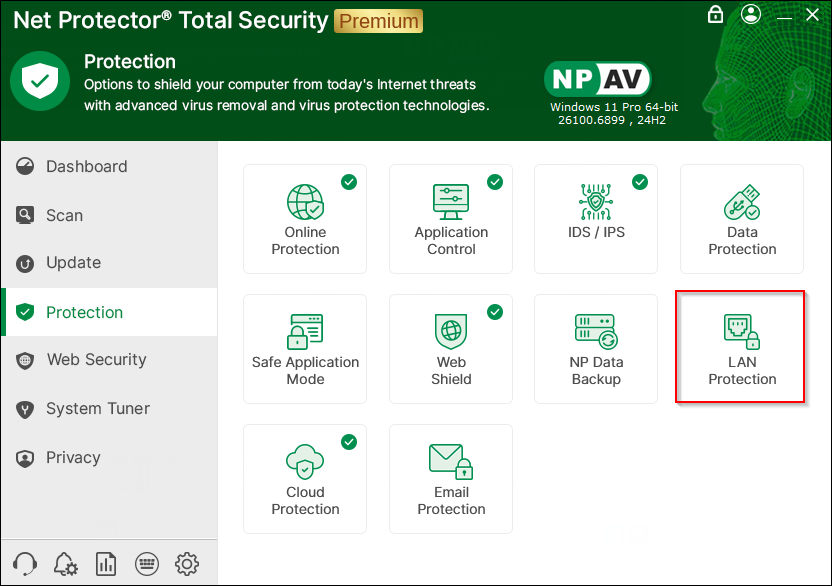
Step 2 : Click on LAN Protection.
Step 3 : On LAN Protection winodw click on “LAN Protection”.

Step 4 : Click on “Install”.
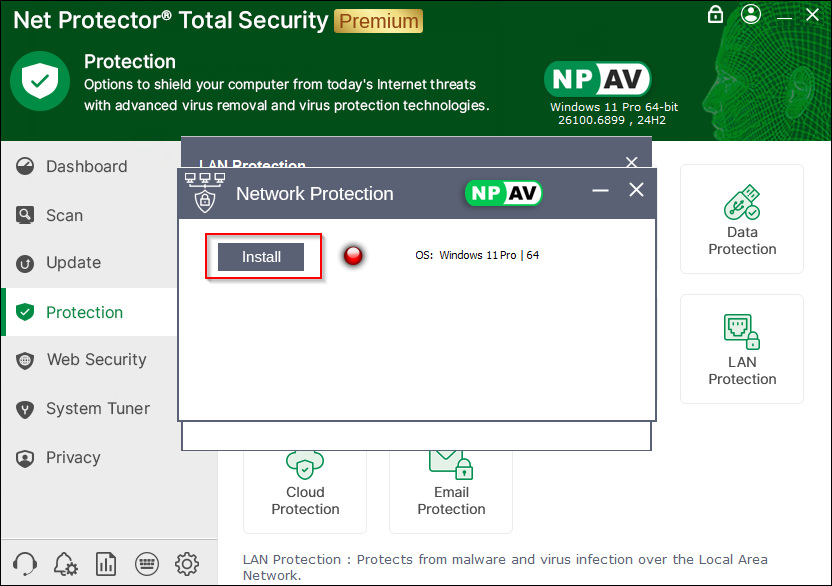
LAN Protection is Now Enable.
