
Net Protector Family Security Pack / Multi-User Pack
- The same product key can be used on multiple devices as per your Family Pack license limit.
- Easy activation and renewal
- Automatic license synchronization across devices
- Once the first device is activated, the license validity for all remaining devices will start from that same activation date.
- Keep your product key safe for future use.
- Enjoy a unified experience across Android and Windows.
Follow the steps below to purchase, download and activate your Net Protector Family Security Pack / Multi-User Pack:
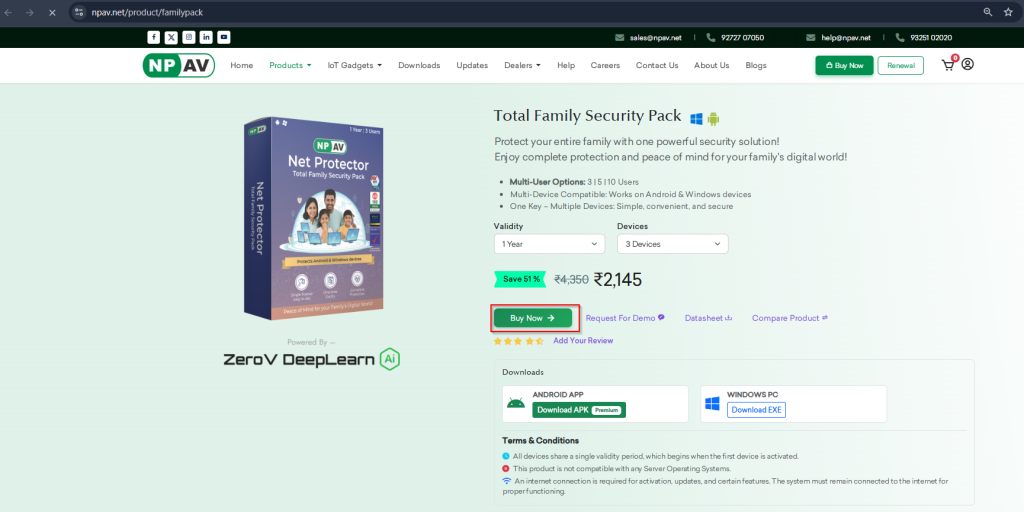
Step 1: Purchase the Family Pack
Purchase the Family Pack from the official website https://npav.net/pduct/familypack
After purchase, your product key will be sent to your registered Email ID and Mobile Number (via SMS).
Step 2: Download Net Protector Antivirus
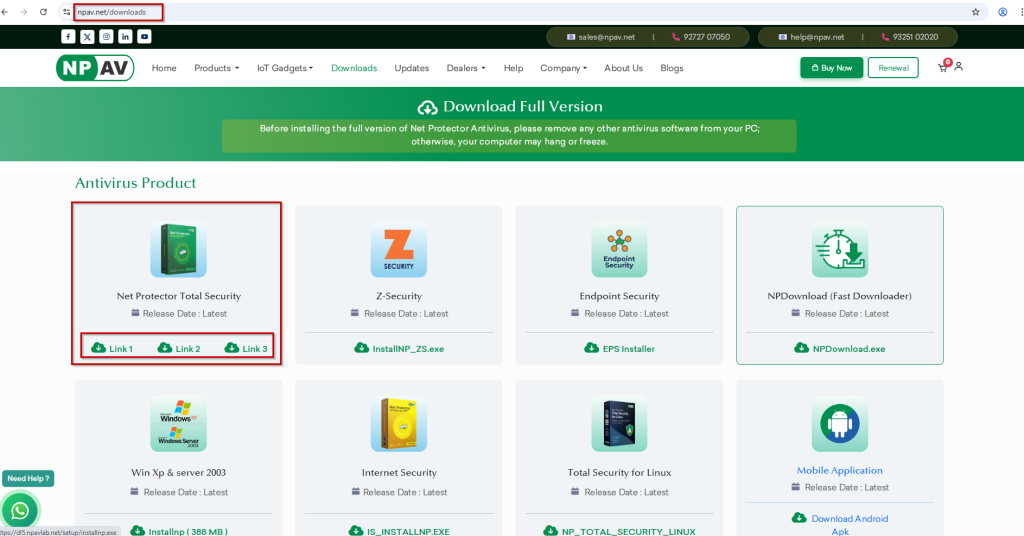
- Visit the official download page: https://npav.net/downloads
- Select Net Protector Antivirus – Total Security.
- Click Download and save the setup file.
Step 3: Install Net Protector Antivirus
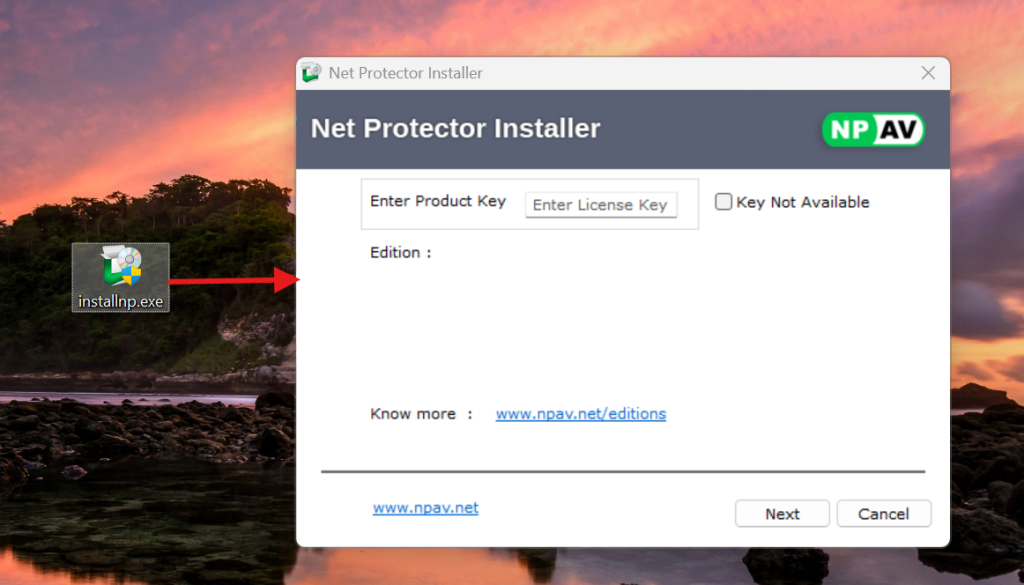
- Open the downloaded setup file.
- Click Install and follow the on-screen instructions.
- Wait for the installation to complete.
- Click Finish to open the Net Protector Antivirus Dashboard.
Step 4: Register and Activate the Product
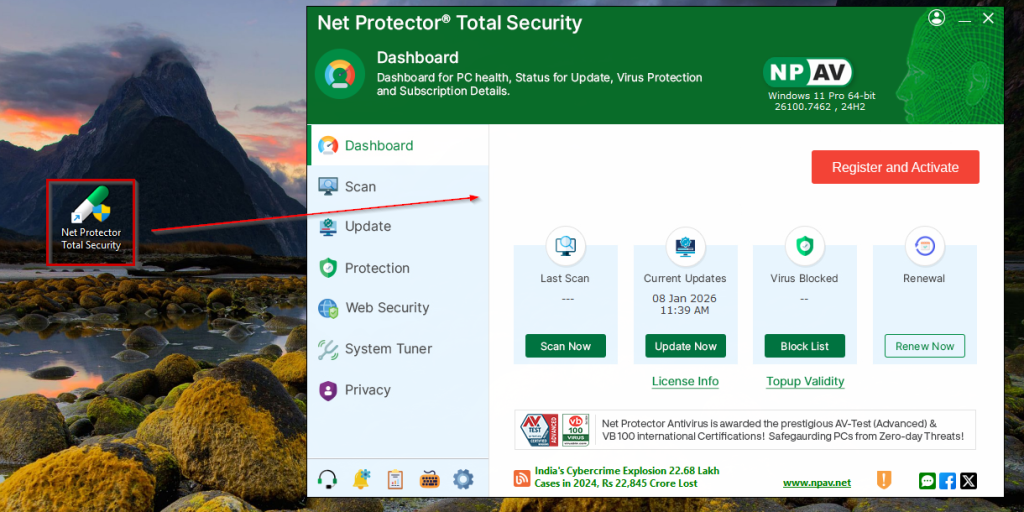
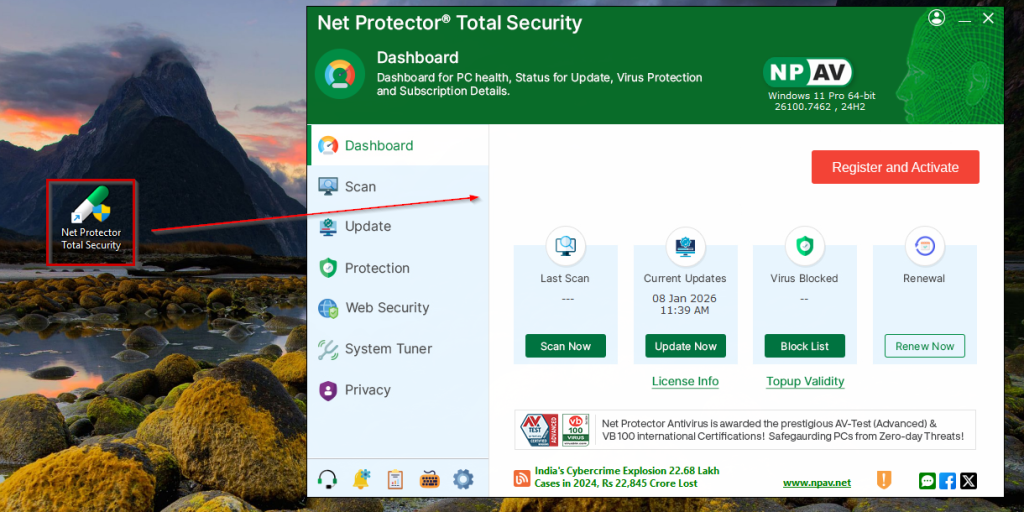
- Open the Net Protector Antivirus Dashboard.
- Click on Register and Activate.
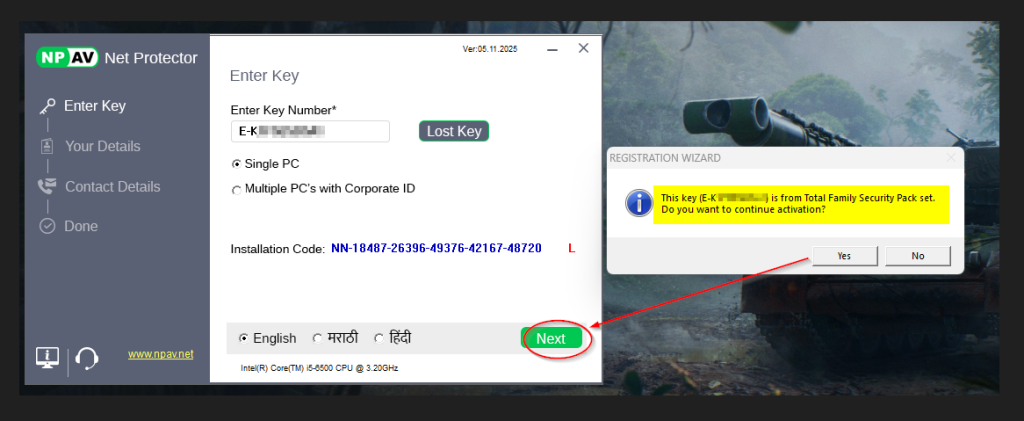
- Enter your Family Security Pack / Multi-User Pack product key (received via Email or SMS).
- A pop-up message will appear: “This key is from the Total Security Multi-User Pack set. Do you want to continue activation?”
- Click Yes to continue.
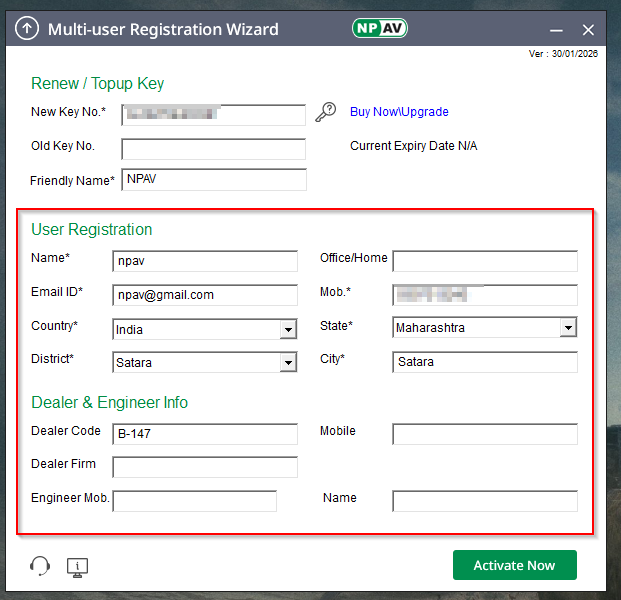
- Fill in the required details in the registration form.
- Click Activate Now.
Step 5: Activation Confirmation
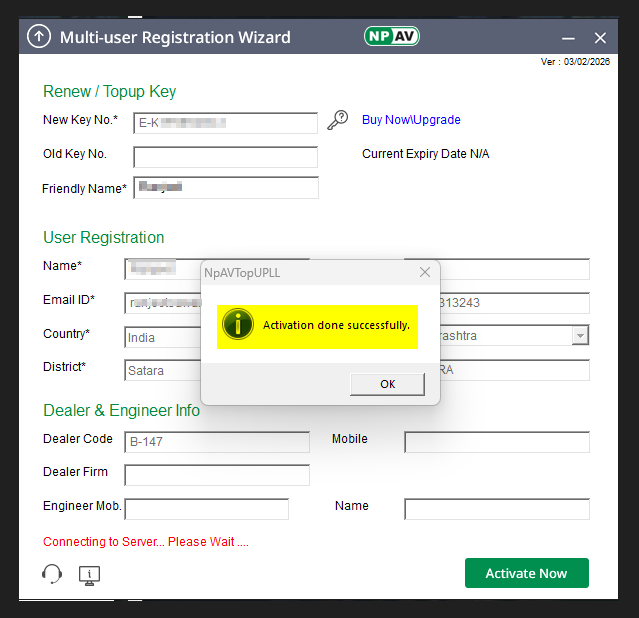
After successful activation, you will see the message: “Your Multi-User Pack has been activated successfully.”
Note: Adding or Activating Additional Devices
To activate protection on other devices:
- Download and install Net Protector Antivirus.
- Open the Dashboard.
- Click Register and Activate.
- Enter the same product key.
- Complete registration. Repeat until your device limit is reached.
