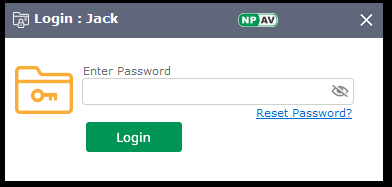
NPAV Folder Lock Protection provides an additional layer of security by allowing users to lock important folders from unauthorized access, modification, deletion, or execution. Once protected, folders cannot be opened, copied, renamed, or removed without proper authorization.
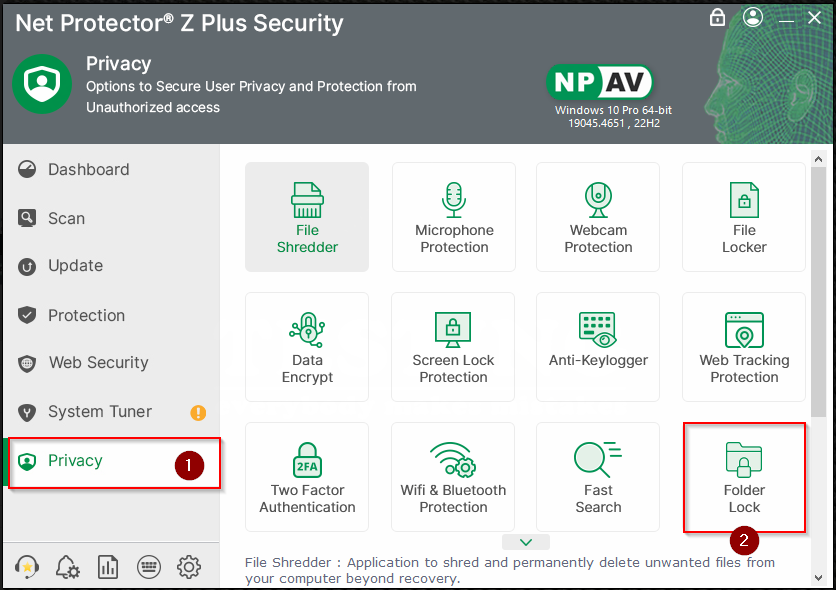
Step 1: Open NPAV Dashboard and go to Privacy tab >> Click on Folder Lock
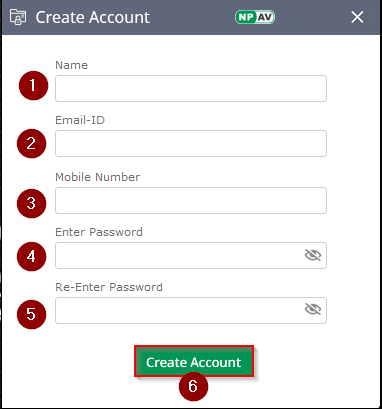
Step 2: Create Account
Enter all required details to create your account.
Provide your Name, valid Email ID, Mobile Number, and a strong Password.
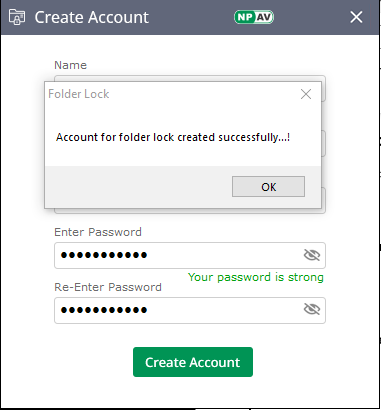
After entering the details, click on Create Account.
Step 3: Select Folder for Protection
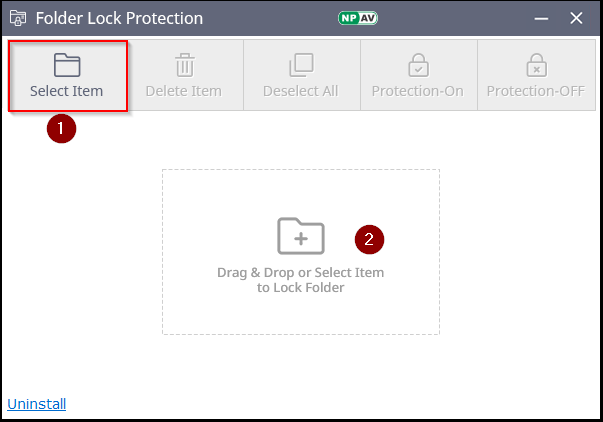
Using Select Item, choose the folder you want to protect.
You can also use the Drag and Drop option to add a folder easily.
Step 4: How to Identify Whether Protection is ON
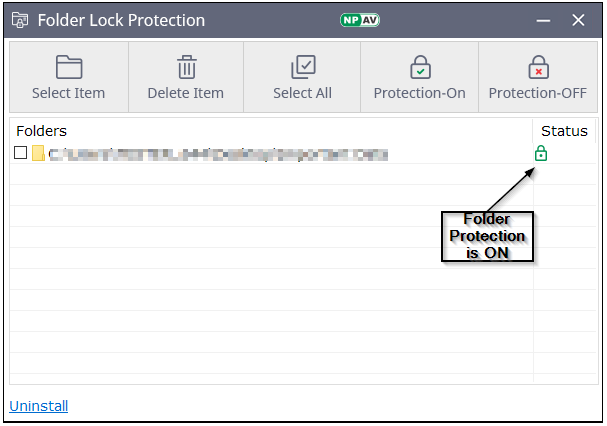
- When Protection is ON, the protected file or folder is highlighted with a lock icon
Step 5: Check Protected Folder
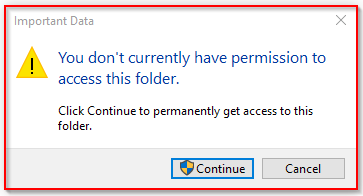
Open the Folder – Once protected, the folder cannot be opened, deleted, copied, pasted, or modified without authorization.
Step 6: How to Turn Protection OFF
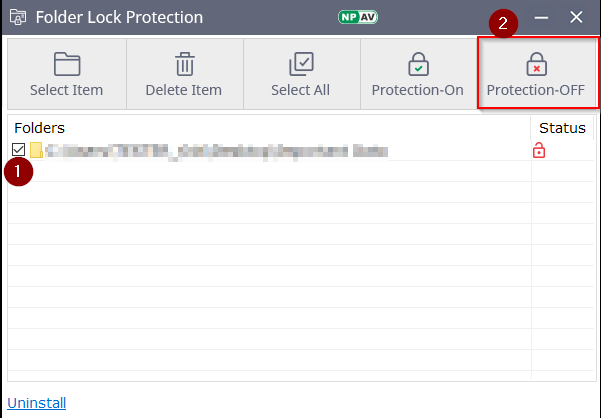
Select Folder and Click on Protection-OFF
On every launch of Folder Lock, the application asks for the password.