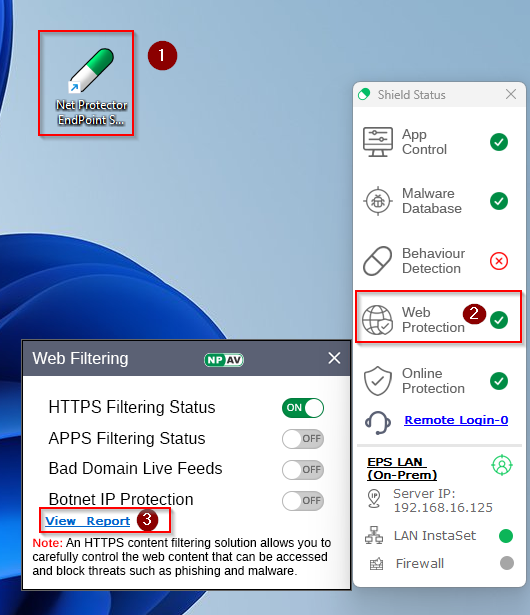
1.Re-Launch NPAV Dashboard
2.From Shield Status Click On Web Protection Icon
3.Click on View Report
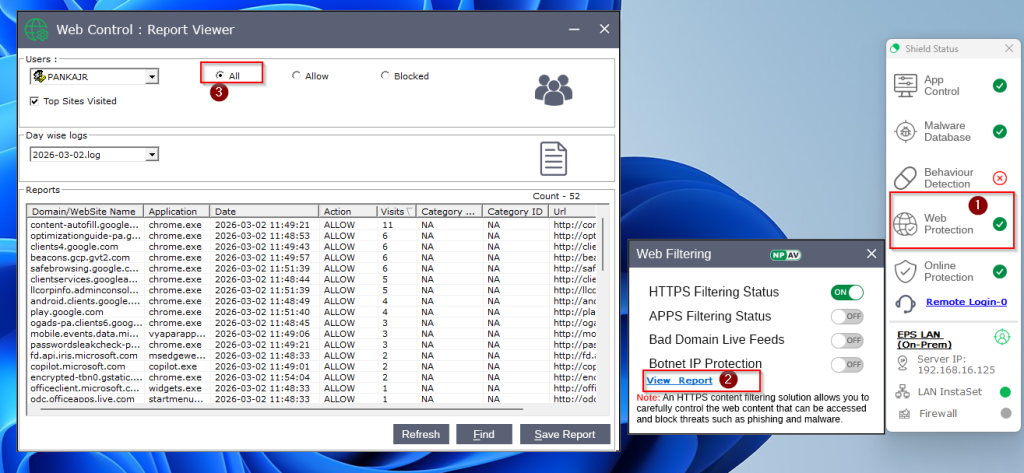
4.Select All Option = All Allowed and Blocked URL’s will be show
5.Select Blocked Option = All Blocked URL’s will be show
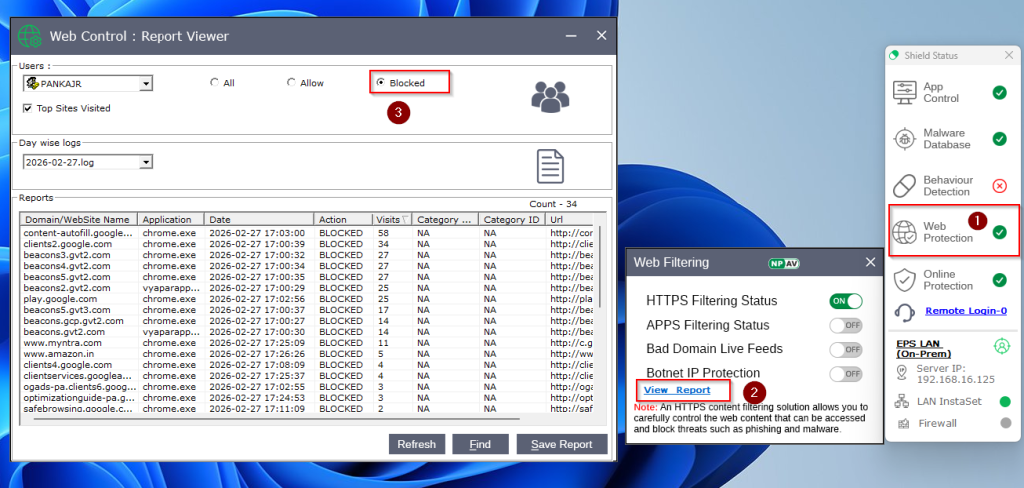
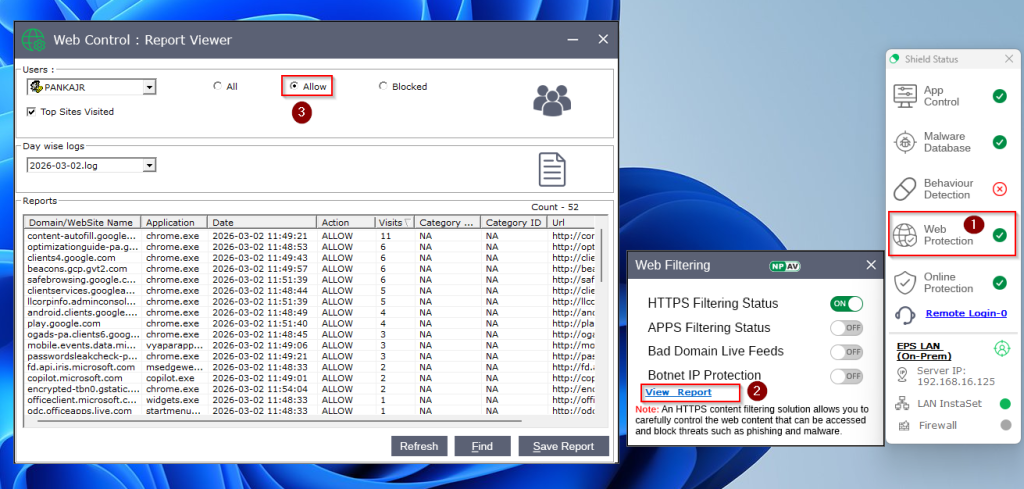
6.Select Allowed Option = All Allowed URL’s will be show