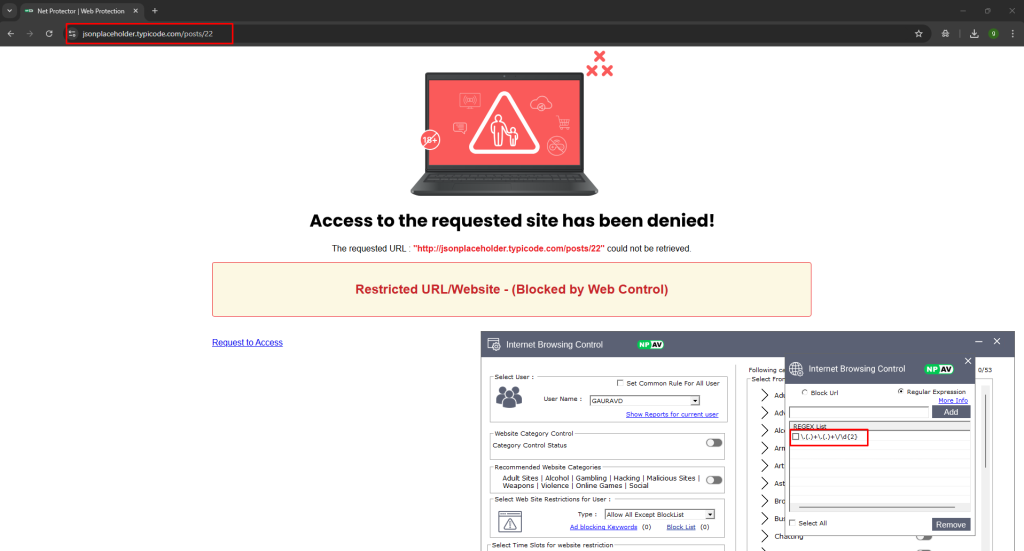
Main Purpose Of Adding Regular Expression Is To Allow Or Block URL As Per Regex Pattern Feature Added For Both Types – Allow All Except Block List & Block All Except Allow List
Steps To Add Regular Expression Pattern –
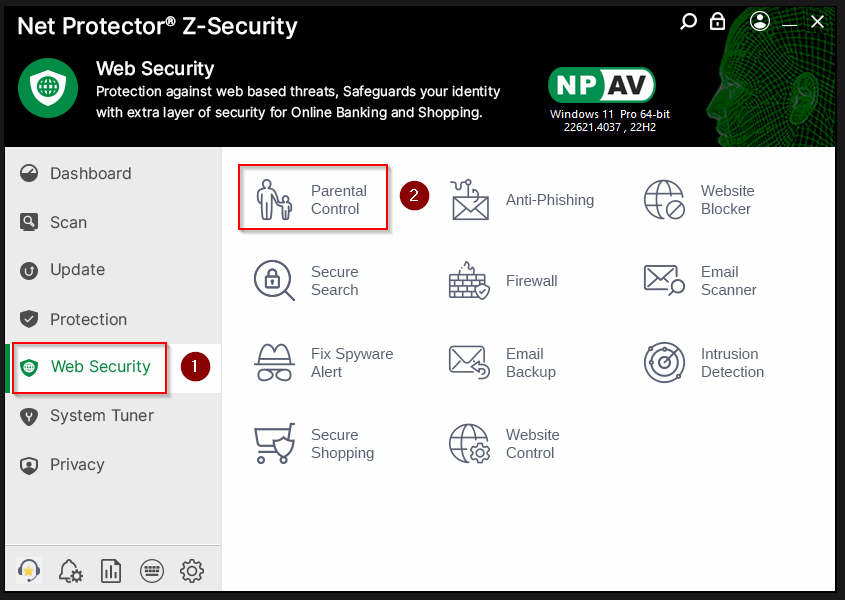
1.Open NPAV Dashboard , Goto Parental Control (Web Security Tab) & Login With Valid Credentials
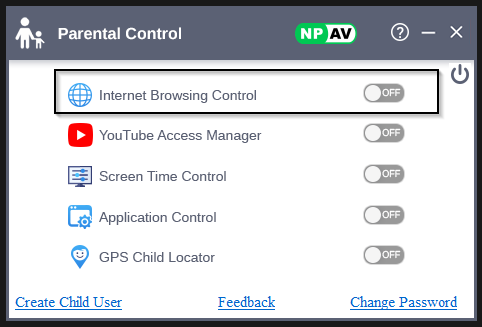
2.After Login To Parental Control Enable Internet Browsing Control Feature Toggle & Open That Feature
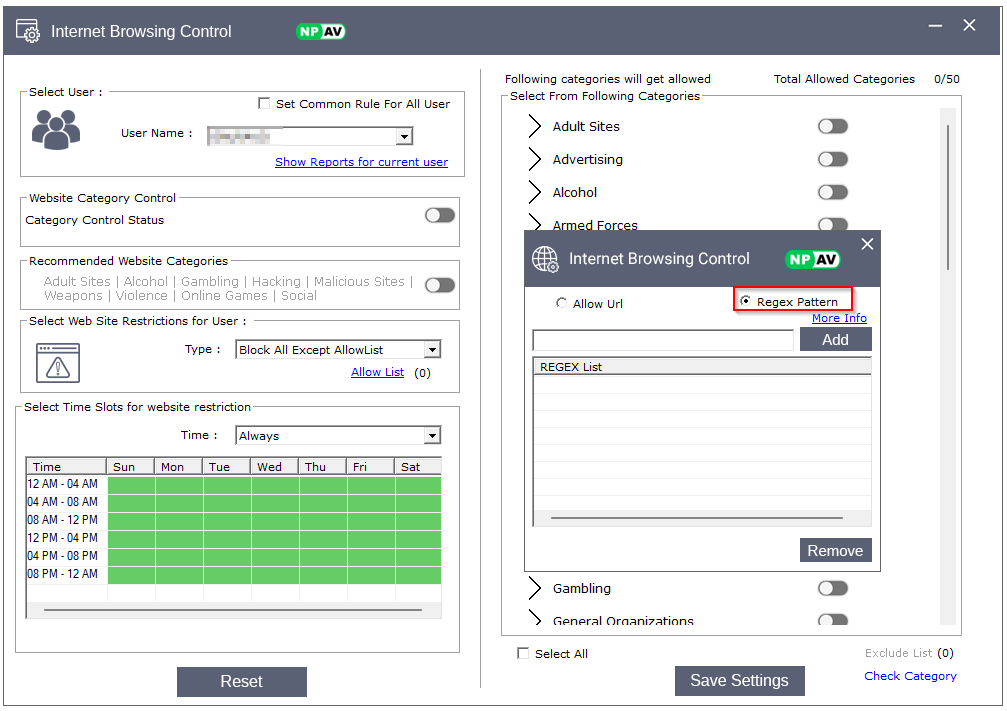
3.Select Type As Allow All Except Block List Or Block All Except Allow List & Open Block List Or Allow List Window
4.Add Desire Regular Expression And Close Allow List Window
5.After Setting Saved Successfully If Pattern Added In Allow List Then Pattern Not Restricted
And If Pattern Added In Block List Then Pattern Restricted Successfully