
Step 1. Unlock the machine
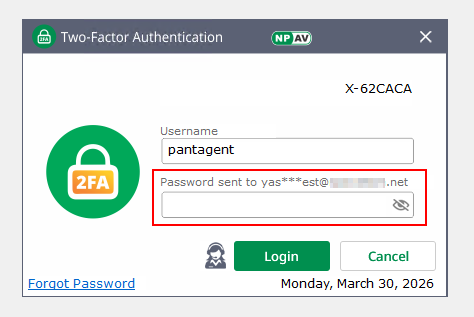
Enter OTP/Password sent to registered mail id to access the system.
Step 2. Open Net Protector Anti-Virus Dashboard
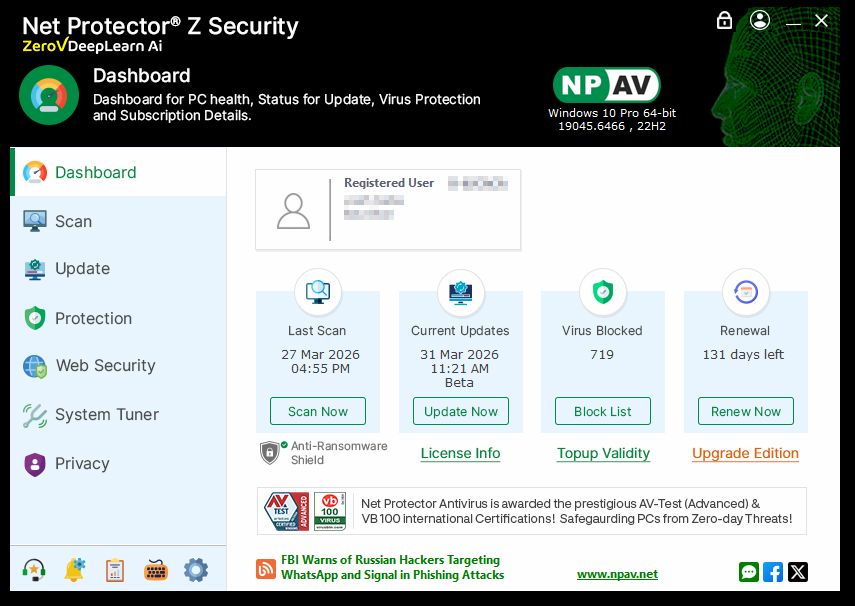
Launch the Net Protector Anti-Virus Dashboard.
Step 3. Navigate to Privacy tab
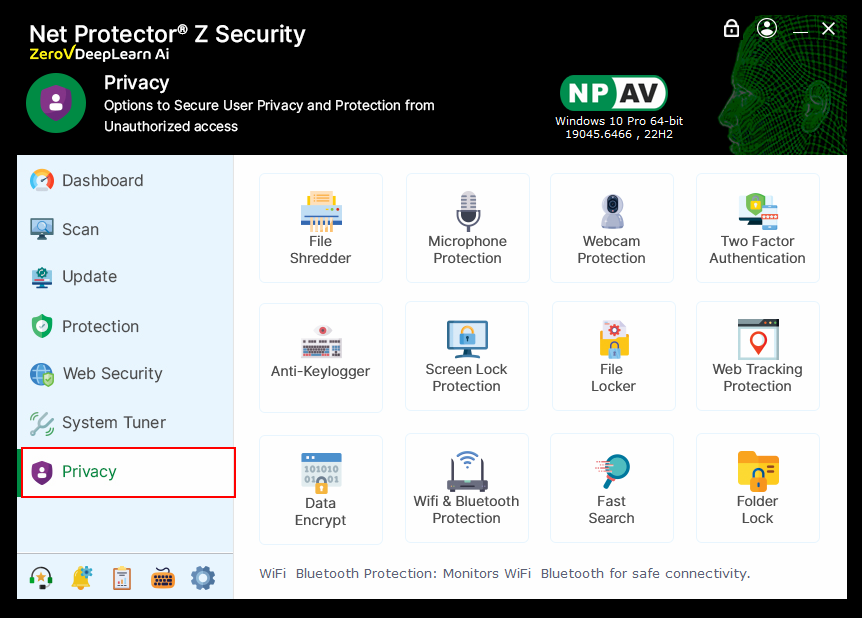
Click on the Privacy tab in the software interface.
Step 4. Select Two Factor Authentication
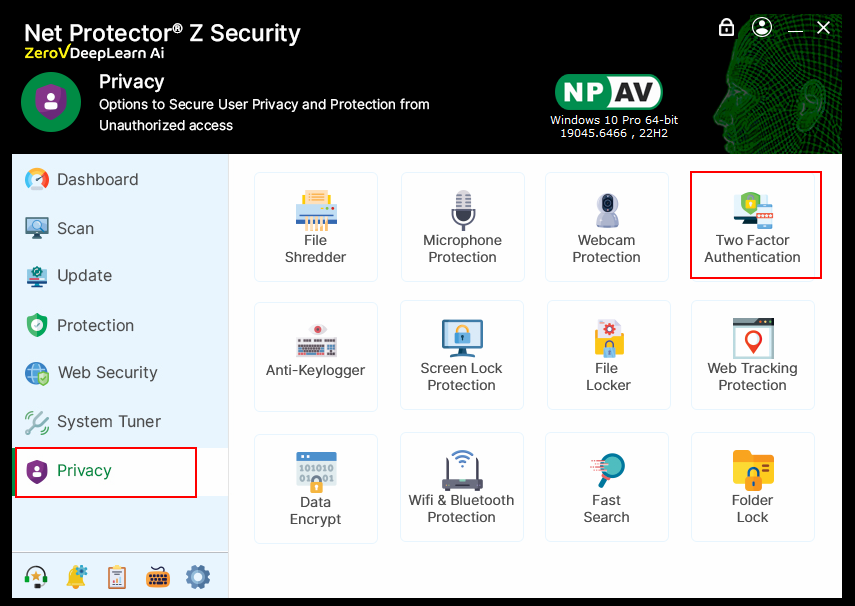
Click on the Two Factor Authentication logo.
Step 5. Confirm popup
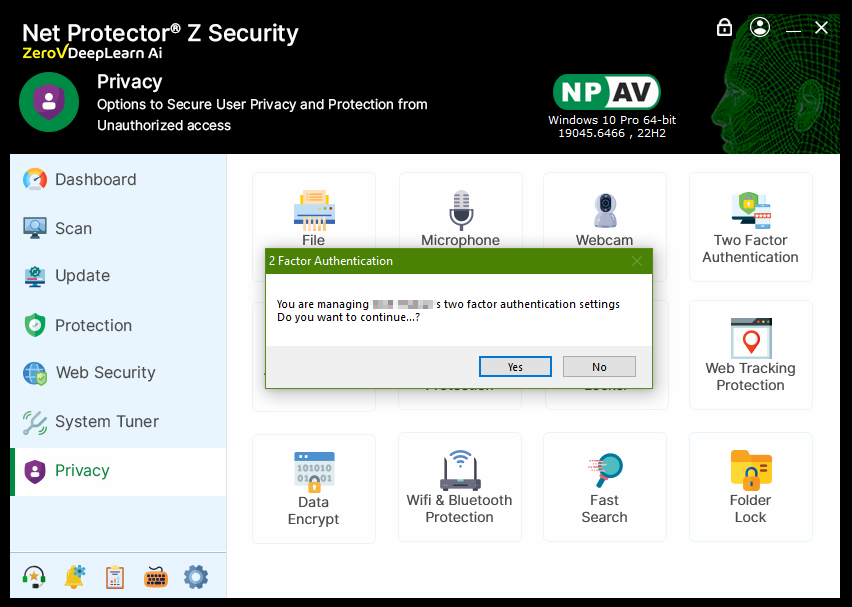
When prompted with a popup, click Yes to continue.
Step 6. Uninstall Two Factor Authentication
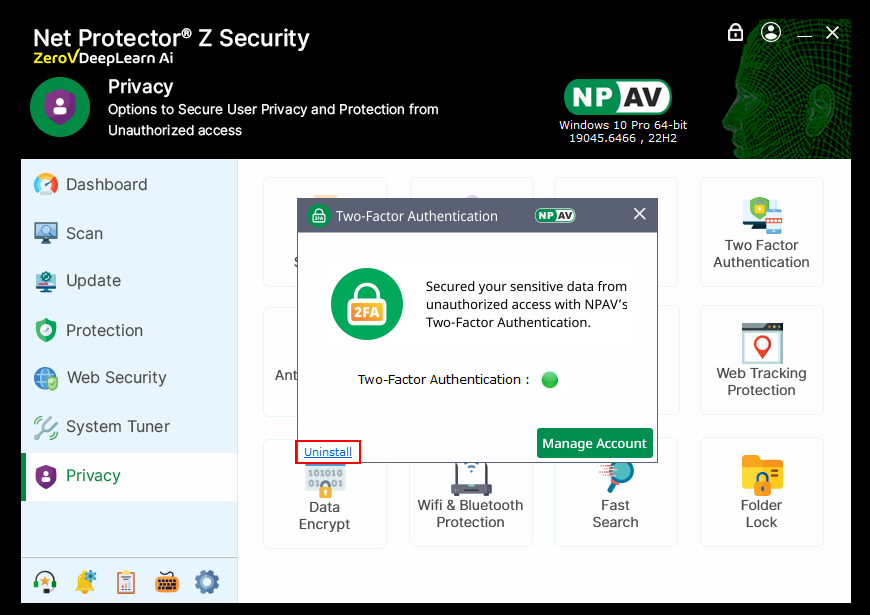
In the Two Factor Authentication window, click the Uninstall button.
Step 7. Enter OTP/ password to confirm
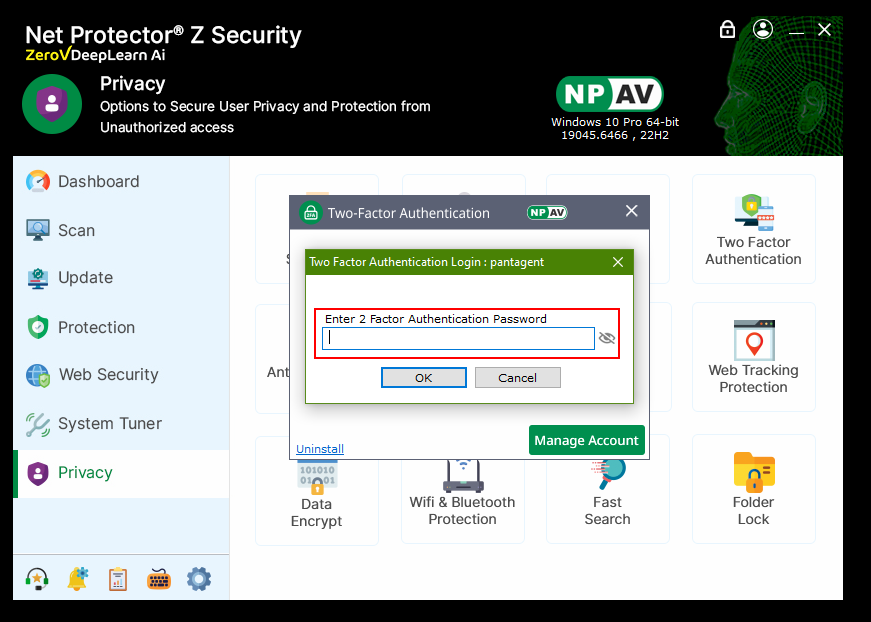
On the OTP/Password prompt window, enter your Two Factor Authentication password and click OK to complete the uninstallation.
